Key takeaways
- Compare rackmount NAS enclosures for photography archives, covering 2U chassis, ECC memory, network ports and expansion for studio storage racks and teams.
Moving a photography archive into a rack is a statement about how the studio now runs. The library has become shared infrastructure, sitting beside the switch and the backup hardware, expected to serve every editor without living under someone’s desk. Rackmount enclosures reward that seriousness with serviceable bays and proper networking, but they also demand honest answers about rack depth, noise and power before any drives are ordered.
A portrait studio adding its first rack needs a different machine from an established commercial operation replacing an ageing file server. The three enclosures below were picked from their Amazon listings for chassis format, processor, memory and ports, spanning a twelve-bay flagship, a short-depth eight-bay all-rounder and a value model with fast SFP+ networking already fitted.
Quick Picks
As an Amazon Associate we earn from qualifying purchases
| Product | Best for | Key spec from title |
|---|---|---|
| Synology RS2423+ | Rack archives that need twelve bays in 2U | 2U rackmount, 12 bay |
| Synology RS1221+ | Shallow racks and network closets | 2U short-depth rackmount, 8 bay |
| QNAP TS-832PXU | Budget racks that still want 10GbE SFP+ | 2U rackmount, 2x 10GbE SFP+ |
How to Choose
Measure the rack before choosing the chassis
Rackmount is not one size. A full-depth 2U enclosure expects a proper equipment rack with room for rails, cable bend radius and airflow front to back, while a short-depth model such as the RS1221+ fits wall-mounted cabinets and network closets common in converted studio spaces. Measure the usable depth of your rack, check the door clearance, and confirm the mounting style before ordering. Photographers often inherit shallow racks from networking gear and discover too late that a deep storage chassis physically cannot be installed, turning an exciting upgrade into an expensive furniture problem.
Plan power and noise for a shared workspace
Rack enclosures are engineered for equipment rooms, not quiet editing suites. Fans sized to cool twelve drives in a 2U chassis produce a steady presence that editors will not tolerate at arm’s length, so locate the rack in a closet, utility room or isolated corner with ventilation. Power deserves the same planning: a single power supply, as fitted to the TS-832PXU, is a single point of failure, and every model here deserves a UPS between it and the wall. An unplanned shutdown during a RAID rebuild is exactly the event storage planning exists to prevent.
Match network ports to the switch you own
The three models take different routes to speed. The RS1221+ starts with gigabit and offers a PCIe slot for a 10GbE or SFP+ card, the TS-832PXU includes dual 10GbE SFP+ alongside 2.5GbE, and the RS2423+ targets buyers building around a modern studio backbone. SFP+ ports need transceivers or direct-attach cables that copper ports do not, which adds small but real setup cost and complexity. Inventory your switch first: spare SFP+ cages make the QNAP immediately fast, while a copper-only switch favours a card-based upgrade in the Synology instead.
Think about service access once the drives are in
A rack archive earns its keep during failures, so serviceability matters. Hot-swap bays accessible from the front let a failed drive be replaced without unracking the chassis or interrupting the studio for long. ECC memory in both Synology models protects long rebuilds and transfers from silent errors, worthwhile when the volume holds a career of client work. Also consider expansion: the RS1221+ grows to twelve bays with an RX418 unit, letting a smaller studio start at eight and add capacity in the same rack without replacing the head unit.
The 3 Best Options
Synology RS2423+

The RS2423+ is the rackmount for archives that have genuinely become studio infrastructure. Twelve bays in a 2U chassis give a single RAID 6 volume serious capacity with two-drive fault tolerance, and the Ryzen V1780B processor with ECC memory is built for sustained multi-user service. Eight gigabytes of memory as standard, expandable to 32, covers indexing and sync duties beside file serving. It suits a studio that has stopped asking whether the archive belongs in the rack and started asking how many years the rack unit should last. Buy it as the long-term head of the storage system, not as a starter experiment.
Specs
- 2U rackmount chassis
- 12 bays for 3.5″ SATA drives and 2.5″ SSDs
- AMD Ryzen V1780B processor at 3.35 GHz
- 8 GB DDR4 ECC memory, expandable to 32 GB
Best for: Established studios centralising a large archive into a proper equipment rack.
Watch out for: Twelve bays in 2U demand real rack depth, cooling and a separate room.
ASIN: B0BWT1P8YV
Synology RS1221+

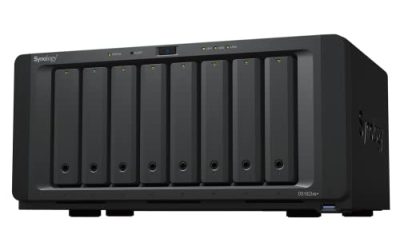
Synology designed the RS1221+ for the racks photographers actually have: short-depth cabinets in offices and closets rather than data-centre rows. Its Ryzen V1500B, ECC memory and four gigabit ports handle archive service confidently, and the PCIe Gen3 x8 slot accepts a 10GbE or SFP+ card when the studio network catches up. Expansion to twelve bays via the RX418 keeps the growth story intact, while eSATA and USB ports cover direct-attached duties. For a growing studio formalising its first rack, this is the balanced choice that avoids both the flagship’s scale and the compromises of purely desktop hardware.
Specs
- 2U short-depth rackmount chassis
- 8 bays for 3.5″ and 2.5″ SATA drives
- AMD Ryzen V1500B quad-core 2.2 GHz
- 4 GB DDR4 ECC memory, expandable to 32 GB
- 4x 1GbE network ports
- PCIe Gen3 x8 slot for 10GbE or SFP+ card option
- 2x USB 3.2 and 1x eSATA
- Expandable to 12 bays via RX418
Best for: Studios with shallow racks that want ECC memory and an open speed upgrade.
Watch out for: Fast networking costs extra, since the PCIe card is an additional purchase.
ASIN: B08T1RBD4L
QNAP TS-832PXU

The TS-832PXU takes the value route into the rack while refusing to skimp on connectivity. Dual 10GbE SFP+ ports and dual 2.5GbE ports arrive fitted, which is remarkable at this level and lets a studio segment editing and backup traffic immediately. The ARM processor and four gigabytes of memory are tuned for file service rather than heavy applications, and the unit ships diskless so the drive budget stays flexible. A single power supply is the clearest compromise, making a good UPS and a solid backup routine essential companions. For a cost-conscious rack build centred on serving files quickly, it is difficult to argue with the port selection.
Specs
- 2U rackmount chassis, diskless
- 8 bays for 3.5″ SATA 6Gb/s drives
- AnnapurnaLabs Alpine AL324 ARM quad-core 1.7 GHz
- 4 GB DDR4 memory, expandable to 16 GB
- 2x 10GbE SFP+ and 2x 2.5GbE network ports
- Single power supply
Best for: Budget-conscious studios whose switch already offers SFP+ for fast links.
Watch out for: The single power supply and modest processor limit redundancy and extras.
ASIN: B08JJW1Y46
Which One Fits Your Situation
A commercial studio building its first real rack
Install the RS2423+ as the archive’s permanent home. Twelve bays hold the combined library with RAID 6 headroom, ECC memory protects the long initial migration, and the 2U footprint leaves rack space for the switch and UPS the system deserves. This is the choice that treats storage as infrastructure and avoids revisiting the decision when the next busy season lands.
A boutique studio with a shallow network cabinet
The RS1221+ was made for this constraint. Its short-depth chassis fits cabinets that reject full-size servers, while the expansion path and PCIe slot keep future options open. A two-editor studio can run it on gigabit today, add the fast network card during the next quiet month, and never move the archive again. Measure the cabinet honestly first, including the door swing and cable space behind the unit.
A value-driven rack that already has SFP+ switching
Pick the TS-832PXU when the network is ready but the storage budget is not. Its fitted SFP+ ports deliver fast editing links from day one, and the diskless design lets you prioritise drive quality over chassis features. Accept the single power supply with open eyes: pair it with a UPS, keep the separate backup copy current, and the compromise stays a reasonable one for a small studio.
An archive that must stay quiet near the editing desks
None of these enclosures belongs beside a desk, so solve the location rather than the model. House whichever chassis you choose in a ventilated closet or utility space, run structured cabling to the desks, and the studio gets rack-grade storage without rack-grade noise. If no such space exists, a desktop enclosure from the eight-bay class will serve the team better than a rack unit exiled to a corridor.
Common Mistakes
- Ordering a full-depth chassis for a shallow wall cabinet, discovering the fit problem only when the rack rails will not close.
- Placing the rack in the editing room, where cooling fans sized for a 2U chassis make concentration impossible within a week.
- Skipping the UPS because the rack felt professional already, leaving a RAID rebuild exposed to the first power flicker.
- Forgetting that SFP+ ports need transceivers or direct-attach cables, so the fast network cannot be connected on installation day.
- Treating the rack archive as the backup itself, when it remains one system that still needs a separate copy elsewhere.
Frequently Asked Questions
Why move a photography archive to a rackmount NAS?
Racking the archive centralises storage with the switch and backup hardware, keeps it out of the editing space, and makes drive service and cabling tidier as the system grows. It suits studios where several workstations depend on the same library daily. The trade is location: the rack needs a ventilated space away from quiet desks.
Does a short-depth rackmount NAS give up much?
The RS1221+ shows the compromise is modest. It keeps eight bays, ECC memory, expansion to twelve bays and a PCIe slot for faster networking, fitting cabinets that full-depth units cannot enter. What you give up is mainly the twelve-bay starting capacity of larger chassis and some internal room. For many studios, fitting the existing rack matters more than those margins.
Are SFP+ ports better than copper 10GbE for a studio?
They deliver the same class of speed with different cabling. SFP+ uses transceivers or direct-attach cables and is common on rack switches, while copper 10GbE runs over familiar Ethernet cable. The TS-832PXU includes SFP+, so it pairs naturally with rack networking gear. Choose by the switch you own rather than by theoretical preference.
How should a rackmount archive be protected from power problems?
Put the enclosure on a UPS sized for the full rack load, configure graceful shutdown, and keep the rack’s power feed separate from heavy studio appliances where possible. A single-supply model such as the TS-832PXU depends on that protection entirely. Then maintain the separate backup copy as usual, because power protection prevents corruption, not loss of the building.
More from Amazon
Programs that pair well with the guide above. Offers and eligibility are set by Amazon and may change.
Free shipping on eligible items, Prime Video and more. Eligible new members can start with a free trial.
Start a Prime free trialAudiobooks and podcasts to listen to on the go. Eligible new members can start with a free trial.
Try Audible freeAd-free music streaming. Eligible new subscribers can start with a free trial.
Try Music Unlimited freeA free business account with business pricing and bulk-buying tools for work, shop or home office.
Create a business accountAs an Amazon Associate we earn from qualifying purchases.