Key takeaways
- Compare 6-bay NAS enclosures for photography archives, balancing RAID protection, network speed, cache slots and room to grow a RAW library over time.
Six bays is the size many photographers reach after a four-bay unit fills up: large enough for a parity-protected working library, small enough to sit beside a desk without dominating it. The real decision is not the bay count itself but what surrounds it, because network speed, cache options and expansion decide whether this enclosure serves for three years or for eight.
A wedding photographer ingesting two cards every weekend needs something different from a landscape shooter whose archive grows slowly but whose files are enormous. The models below were selected from their Amazon listings for processor, memory, ports and upgrade paths, covering the three directions buyers usually take: maximum expansion, faster built-in networking, or the most cache slots in the class.
Quick Picks
As an Amazon Associate we earn from qualifying purchases
| Product | Best for | Key spec from title |
|---|---|---|
| Synology DS1621+ | Archives that will outgrow six bays | 6 bay, expandable to 16 bays |
| QNAP TS-664 | Faster networking without add-on cards | 6 bay, 2x 2.5GbE |
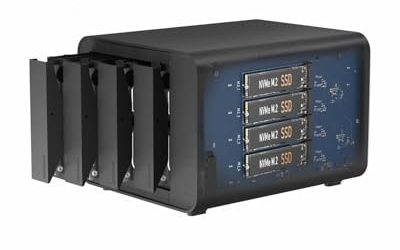
| Asustor Lockerstor 6 Gen 2 AS6706T | Cache-heavy catalogs on a mid-size NAS | 6 bay, 4x M.2 NVMe slots |
How to Choose
Match the RAID layout to six bays specifically
With six drives, the parity maths feels different from larger chassis. RAID 5 leaves five drives of usable space but tolerates only one failure, while RAID 6 protects against two failures at the cost of another drive. Synology’s SHR, offered on the DS1621+, can soften the penalty when drive sizes differ. Think about rebuild time as well: a failed large drive in a six-bay array can take many hours to restore, during which a second failure in RAID 5 would be catastrophic. For client work, that exposure window is often the deciding argument.
Weigh built-in 2.5GbE against expansion slots
The TS-664 and AS6706T arrive with dual 2.5GbE ports, a useful step above gigabit for moving full shoot folders and for one editor working directly from the NAS. The DS1621+ ships with gigabit ports but answers with a PCIe slot that can accept a much faster card later. Neither approach is wrong; they suit different budgets and timelines. If your switch and workstation already support faster Ethernet, built-in ports deliver value on day one. If they do not, an enclosure with an upgrade path lets the network investment happen in stages.
Use NVMe slots to speed the catalog, not the archive
M.2 slots on these models are cache or fast-tier tools, and they help most where photography software actually struggles: catalog browsing, preview rendering and repeated access to current projects. They do not make bulk storage faster for files read once and archived. The AS6706T offers four such slots, the DS1621+ two, and the TS-664 two PCIe-based slots. Decide how much of your pain is slow archive transfers versus a sluggish catalog, because cache only fixes the second problem, and spending on NVMe drives to accelerate cold storage is money quietly wasted.
Check how the enclosure grows before it fills
Six bays fill faster than buyers predict once video, time-lapse sequences and layered masters join the RAW files. The DS1621+ expands to 16 bays using two DX517 units, which turns it into a long-term platform. The QNAP and Asustor models lean instead on their internal slots and ports for growth. Also look at the memory ceiling, because catalog software, snapshot schedules and any extra services all compete for RAM. Choosing the enclosure with the growth path that matches your habits is cheaper than migrating a library under time pressure later.
The 3 Best Options
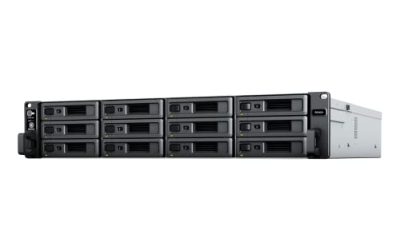
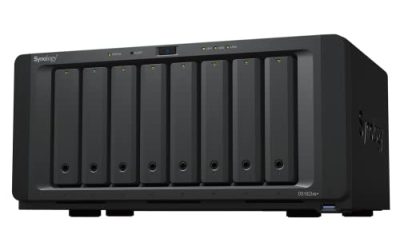
Synology DS1621+

Synology positions the DS1621+ as the expandable heart of a serious archive, and the specification supports that claim. Its Ryzen processor, ECC memory and PCIe slot give it the clearest upgrade story of the three, while dual eSATA ports connect the expansion units that lift it to 16 bays. Two M.2 slots accept NVMe cache, and SHR support makes mixed drive sizes less wasteful during gradual upgrades. Networking starts at gigabit, which is the deliberate trade here: the money went into longevity rather than headline speed. For photographers who expect their archive to double, that trade is usually the sensible one.
Specs
- 6 bays, expandable to 16 bays via 2x DX517
- AMD Ryzen V1500B quad-core 2.2 GHz
- 4 GB DDR4 ECC memory, expandable to 32 GB
- 4x 1GbE network ports
- 2x M.2 2280 NVMe cache slots
- 3x USB 3.2 Gen 1 and 2x eSATA
- PCIe Gen3 x8 slot
- RAID 0, 1, 5, 6, 10, SHR and JBOD
Best for: Photographers planning expansion units and a faster network card over time.
Watch out for: Gigabit networking out of the box limits direct editing until upgraded.
ASIN: B08HYQJJ62
QNAP TS-664

The TS-664 is the straightforward answer for buyers who want speed without opening the chassis. Dual 2.5GbE ports come fitted, eight gigabytes of memory is standard, and an HDMI output lets the enclosure double as a direct viewing station for culling sessions on a nearby screen. Its Intel Celeron processor handles file service and media duties comfortably, and two M.2 PCIe slots provide cache room for the current season’s work. USB 3.2 Gen 2 ports speed up the card-reader and external-drive ingest that photographers repeat constantly. It is the most immediately complete six-bay package here for a single editing desk.
Specs
- 6 bays
- Intel Celeron N5095 quad-core, burst up to 2.9 GHz
- 8 GB DDR4 memory
- 2x 2.5GbE network ports
- 2x M.2 PCIe slots
- 2x USB 3.2 Gen 2 ports
- HDMI output
Best for: Single-desk studios wanting faster networking and generous memory as standard.
Watch out for: No expansion-unit path is listed, so six bays are the long-term ceiling.
ASIN: B0BPNCJHNZ
Asustor Lockerstor 6 Gen 2 AS6706T

Asustor’s entry distinguishes itself with four M.2 PCIe 3.0 NVMe slots, double what the others offer, which suits photographers whose catalog performance matters more than raw throughput. The Celeron N5105 processor and dual 2.5GbE ports keep everyday transfers brisk, while HDMI output supports direct playback and inspection of delivered work. Memory starts at eight gigabytes and can be doubled, a realistic ceiling for file-focused duties. The design clearly targets the editing desk rather than the server room. Buyers who keep returning to the same active projects, season after season, will feel the benefit of that cache capacity most.
Specs
- 6 bays for 3.5″ and 2.5″ SATA drives
- Intel Celeron N5105 quad-core 2.0 GHz
- 8 GB DDR4 memory, expandable to 16 GB
- 2x 2.5GbE network ports
- 4x M.2 PCIe 3.0 NVMe slots
- HDMI output
Best for: Editors whose Lightroom or Capture One catalog needs generous NVMe cache.
Watch out for: The 16 GB memory ceiling limits heavier multitasking and extra services.
ASIN: B09VX449JG
Which One Fits Your Situation
Your four-bay NAS is full and the library keeps growing
Start with the DS1621+ and a plan. Populate it with drives sized for the next several years, keep its expansion route in mind, and the same system can reach 16 bays before a replacement is due. That continuity protects the catalog structure and sharing setup you have already built, and it spreads the storage investment across multiple buying cycles instead of forcing one painful purchase.
One editor, one desk, no patience for upgrades
The TS-664 suits a photographer who wants the enclosure finished on arrival. Faster ports, ample memory and cache slots are already in place, so the first evening can be spent moving the archive rather than shopping for add-on cards. Its HDMI output is a quiet bonus for reviewing delivered galleries on a television or spare monitor without tying up the editing workstation.
Your catalog feels slower than your storage
Choose the AS6706T when browsing and preview generation are the daily irritations. Four NVMe slots let you build a substantial cache tier for the catalog and current projects while the six main bays hold the full archive. Photographers who reopen the same events repeatedly, for album orders and reprints, gain the most from keeping that working set permanently warm.
A part-time studio that also stores family media
Any of these enclosures can hold household files beside the photography archive, but the TS-664 makes the mix easiest. Its memory headroom, HDMI output and faster ports handle media duties alongside client folders without extra hardware. Keep the photography library in its own shared folder and volume plan from the start, so family growth never squeezes the archive you are paid to protect.
Common Mistakes
- Choosing RAID 5 in a six-bay array of very large drives without considering how long a rebuild leaves the volume exposed.
- Spending on NVMe cache to speed up cold archive folders that are opened once a year and never benefit from caching.
- Ignoring the network between the NAS and the desk, then blaming the enclosure for transfers capped by an old gigabit switch.
- Filling every bay immediately with small drives, leaving no empty bay for painless capacity upgrades later.
- Treating the NAS as the only copy of the catalog file itself, when the catalog deserves its own separate backup routine.
Frequently Asked Questions
Is six bays enough for a photography archive?
For many working photographers, yes. Six modern drives in RAID 6 hold a substantial RAW library with two-drive fault tolerance, and the DS1621+ can expand further if the archive outgrows the chassis. Estimate your yearly growth honestly, including video and layered files, and size the drives so the array stays below roughly three-quarters full in normal use.
Does 2.5GbE make a real difference for photo work?
It does for bulk movement and responsive direct editing. Copying a full wedding ingest or a season of shoots finishes noticeably sooner than on gigabit, and a single editor opening large files from the NAS feels less hesitation. Both the TS-664 and AS6706T include dual 2.5GbE ports, though your switch and workstation must support the speed too.
What do NVMe cache slots actually improve?
They accelerate the data the NAS serves repeatedly: catalog files, previews and current projects. Browsing a large Lightroom catalog and rendering previews feel snappier, while a folder copied once to cold storage gains little. The AS6706T’s four slots suit cache-heavy workflows, but cache is a performance layer, never a substitute for capacity planning.
Can a six-bay NAS protect my only copy of client photos?
It protects against drive failure, not against loss of the archive itself. RAID keeps working through a failed disc, yet deletion, corruption, theft or fire would still take the only copy. Keep a second copy elsewhere, ideally outside the building, and include the catalog and presets in that routine rather than only the image files.
More from Amazon
Programs that pair well with the guide above. Offers and eligibility are set by Amazon and may change.
Free shipping on eligible items, Prime Video and more. Eligible new members can start with a free trial.
Start a Prime free trialAudiobooks and podcasts to listen to on the go. Eligible new members can start with a free trial.
Try Audible freeAd-free music streaming. Eligible new subscribers can start with a free trial.
Try Music Unlimited freeA free business account with business pricing and bulk-buying tools for work, shop or home office.
Create a business accountAs an Amazon Associate we earn from qualifying purchases.