Our Top Picks
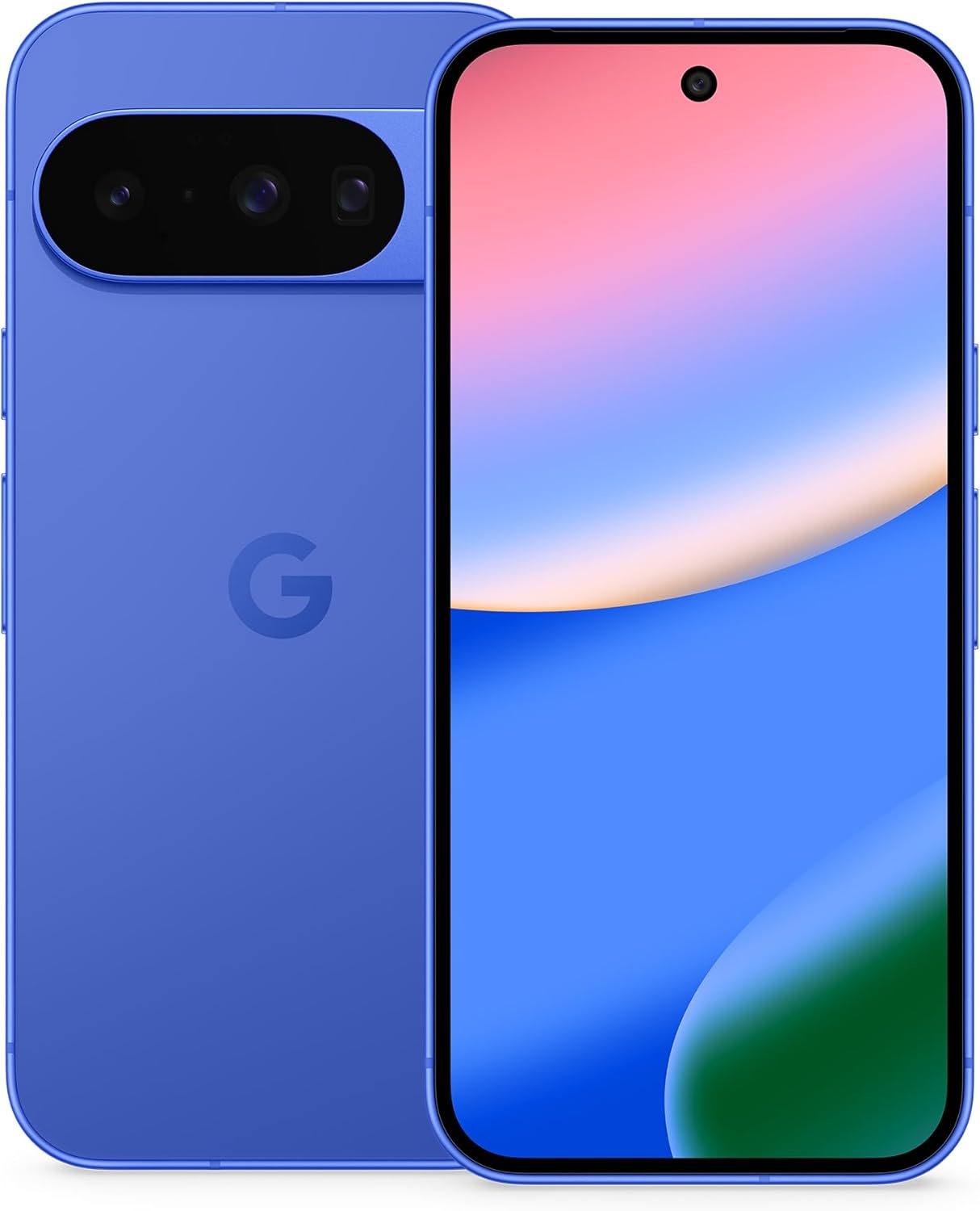 Best for Android buyers who want a lower-cost flagship cameraGoogle Pixel 10Android 1612 GBGoogle TensorCheck on Amazon
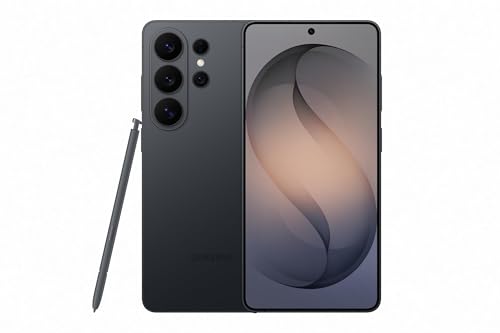
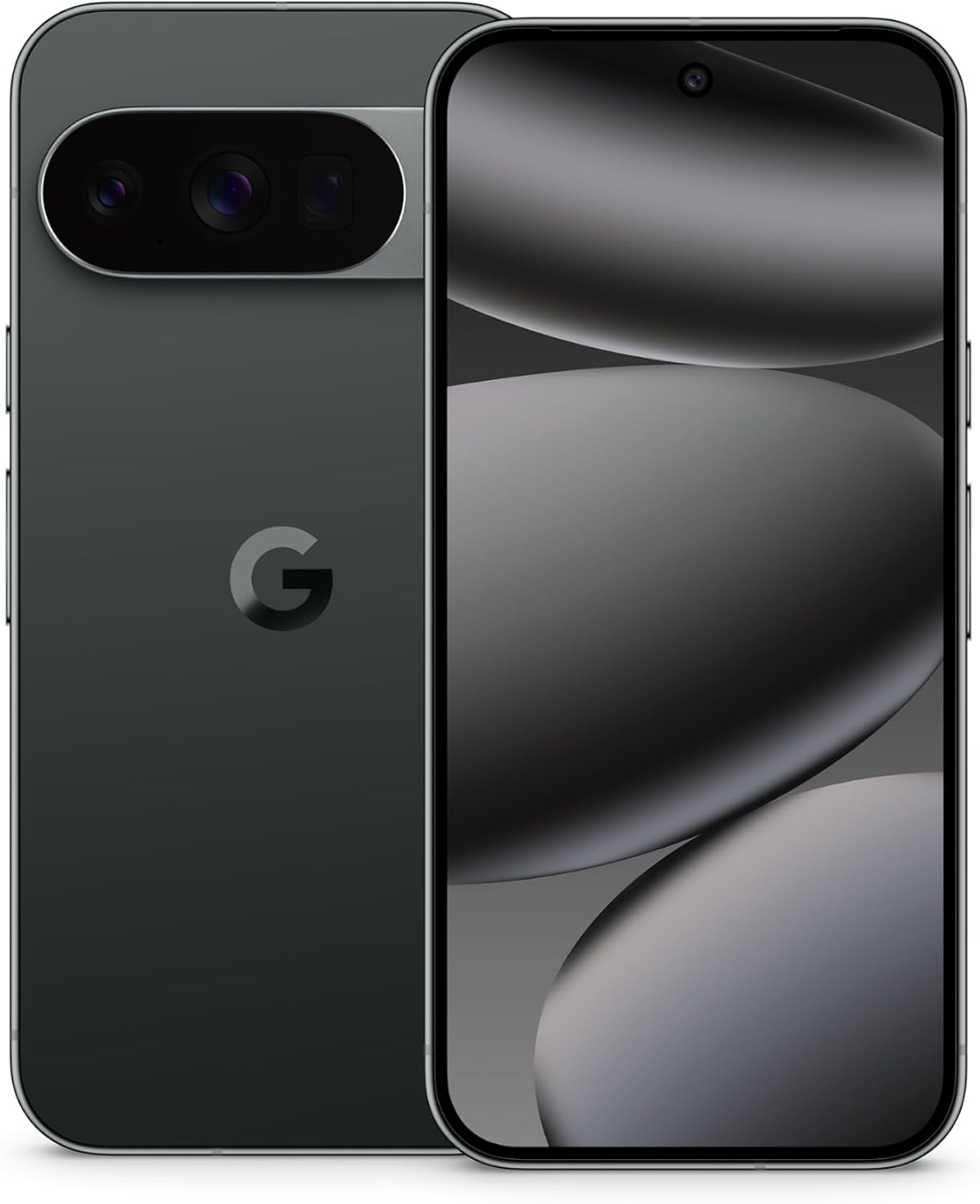

The best camera phone for video in 2026 is the iPhone 17 Pro Max, with the iPhone 17 Pro as the compact version of the same camera system, the Samsung Galaxy S26 Ultra as the best Android choice for resolution and zoom flexibility, and the Google Pixel 10 Pro as the easiest phone to get consistent footage from without editing. If you only need clean 4K clips for social posts, the standard iPhone 17 or Pixel 10 gets you most of the way for far less money than any Pro or Ultra model.
Video is a different test from photography. A phone can take a superb still and still produce shaky, over-sharpened, or inconsistent motion footage. What separates a good video phone from a merely good camera phone is stabilization during walking shots, how smoothly exposure and white balance change when you pan from shade to sun, how clean the built-in microphones are, whether the phone can record in a flat or log profile for color grading, and whether you can offload several gigabytes of footage per minute without choking the phone. This guide groups the current options by those buyer criteria, gives concrete thresholds, and tells you who should skip each model.
Quick picks
- Best overall for video: iPhone 17 Pro Max
- Best compact pro-level video phone: iPhone 17 Pro
- Best Android for video: Samsung Galaxy S26 Ultra
- Best for point-and-shoot consistency: Google Pixel 10 Pro
- Best entry-level pick that still shoots excellent 4K: iPhone 17
- Best for Android buyers who want a lower-cost flagship camera: Google Pixel 10
- Best for manual video controls and ports: Sony Xperia 1 VII
How we chose
This guide is research-based. We compared manufacturer specification sheets, published reviewer comparisons of the 2026 flagship lineup, and the recording formats each phone officially supports. We did not assign scores. We selected models that are current in 2026, widely sold in the United States, and that offer at least 4K recording at 60 frames per second on the main camera. Each pick is judged on six criteria that matter specifically for video: stabilization quality, recording formats (frame rates, HDR, log or pro-grade codecs), lens range, audio capture, storage and external recording support, and battery endurance under sustained recording. Where a spec could not be confirmed from the manufacturer, we describe it by class rather than quote a number.
The video criteria that actually matter
1. Stabilization: aim for sensor-shift or equivalent, plus an electronic mode
Optical stabilization on the main lens is the baseline, but walking footage depends on a second layer of electronic stabilization that crops into the frame. Look for a dedicated high-stability mode (Apple calls it Action mode, Samsung has Super Steady, Google has Steady modes). The trade-off is always a tighter crop and, usually, a lower maximum resolution. A practical threshold: if you shoot handheld while moving, make sure the phone offers its strongest stabilization at 4K, not only at 1080p.
2. Frame rates and resolution: 4K at 60 fps is the new floor
Thirty frames per second looks right for talking-head and travel clips. Sixty gives smoother pans and lets you slow footage to half speed. One hundred twenty frames per second at 4K is where true cinematic slow motion begins. Eight-K is a spec-sheet headline but rarely a practical workflow: files are enormous, editing is slow, and the extra detail only matters if you plan to crop heavily or deliver on very large screens.
3. Color depth and grading formats
If you only post straight to social apps, standard HDR video (Dolby Vision on iPhones, HDR10+ on Samsung) is fine. If you plan to color grade, you want a log profile or a pro codec. iPhone Pro models record in Apple Log and offer ProRes. Samsung’s Ultra line offers a log mode and pro video controls. Sony’s Xperia line leans into manual video controls through its pro camera apps.
4. Lens range
A video-focused phone should give you at least three usable focal lengths: ultra wide for vlogging and tight rooms, main for everything, and a telephoto for compression and distance. Check that the telephoto lens can actually record video at full quality, because some phones fall back to digital cropping in low light. The 5x-class telephoto on recent Google Pixel Pro models and the 4x-class periscope on the iPhone 17 Pro are both strong; Samsung adds a longer optical reach and a very high-resolution main sensor that supports crop-in zoom.
5. Audio
Phone microphones are the weak link in most video. Look for multi-microphone arrays with wind reduction and, on iPhones, audio mixing that lets you shift focus between voices and ambient sound after recording. For interviews or events, none of these replace an external microphone, so a USB-C port that supports digital audio input matters.
6. Storage and offloading
High-quality video eats storage quickly. A fast USB-C port (10 Gbps class) with external drive recording support lets you record straight to an SSD and skip the problem. Without it, you are tied to internal storage and to slow wireless transfers.
Spec comparison table
| Phone | Best video mode | Pro formats | Telephoto | Best for |
|---|---|---|---|---|
| iPhone 17 Pro Max | 4K at up to 120 fps, Dolby Vision | ProRes, Apple Log | Optical-quality 4x and 8x | Serious creators, longest battery of the iPhones |
| iPhone 17 Pro | 4K at up to 120 fps, Dolby Vision | ProRes, Apple Log | Optical-quality 4x and 8x | Same camera in a smaller body |
| iPhone 17 | 4K at 60 fps, Dolby Vision | No ProRes | None (crop-based 2x) | Everyday creators on a budget |
| Galaxy S26 Ultra | 8K at 30 fps, 4K at up to 120 fps | Log video and pro controls | Dual telephoto | Android users who want reach and resolution |
| Pixel 10 Pro | 4K at up to 60 fps, cloud Video Boost | No log mode | 5x optical-class | Consistent point-and-shoot results |
| Pixel 10 Pro XL | 4K at up to 60 fps, cloud Video Boost | No log mode | 5x optical-class | Pixel Pro camera with a larger screen and battery |
| Pixel 10 | 4K at up to 60 fps | No log mode | 5x-class telephoto | Lower-cost Pixel video |
| Sony Xperia 1 VII | 4K at up to 120 fps | Manual video apps | Variable optical telephoto | Manual control, headphone jack, microSD |
Manufacturers update firmware and sometimes add recording modes after launch, so confirm exact modes in the current spec sheet before you buy.
Best camera phones for video: the shortlist
1. iPhone 17 Pro Max
Spec line: 48 MP triple rear system · 4K up to 120 fps Dolby Vision · ProRes and Apple Log · 18 MP front camera · USB-C with fast external drive recording · up to 2 TB storage
Best for: Creators who want the most reliable, repeatable video from a phone, especially anyone who edits in a mobile or desktop workflow that already accepts ProRes and Apple Log.
Skip if: You mainly shoot casual clips and do not want a heavy 6.9-inch phone; the iPhone 17 or a Pixel will do the same job for less.
Pros:
- Strong stabilization, including at telephoto lengths
- Consistent exposure and skin tones between lenses
- Pro formats and external drive recording solve the storage problem
- Audio mixing tools for cleaning up voices after the fact
- Widest accessory and app support for video, including gimbals, mics, and cages
Cons:
- Large and heavy for one-handed use
- Premium pricing, and the higher storage tiers cost more still
- ProRes files demand a lot of storage and a fast edit pipeline
2. iPhone 17 Pro
Spec line: 48 MP triple rear system · 4K up to 120 fps Dolby Vision · ProRes and Apple Log · 18 MP front camera · USB-C with external drive recording · 6.3-inch display
Best for: People who want the full pro video toolkit in a pocketable body.
Skip if: You routinely record for long stretches. The smaller body means a smaller battery than the Pro Max, so plan on a power bank for events or long travel days.
Pros:
- Same camera hardware and video formats as the Pro Max
- Easier to hold and gimbal-mount
- Same external storage workflow
Cons:
- Shorter endurance during continuous recording
- Same premium pricing as other Pro models
3. iPhone 17
Spec line: 48 MP main plus 48 MP ultra wide · 4K up to 60 fps Dolby Vision · 18 MP front camera · 6.3-inch display with high refresh rate
Best for: Everyday creators, students, and small businesses that want clean, stable 4K for social media without paying for pro formats.
Skip if: You need optical telephoto reach, ProRes, or Apple Log. Those stay on the Pro models.
Pros:
- Same ease of use and color science as the Pro line
- Front camera is strong for vlogging and calls
- Good value for the video quality delivered
Cons:
- No dedicated telephoto lens
- No pro video codecs or log recording
4. Samsung Galaxy S26 Ultra
Spec line: 200 MP main sensor · dual telephoto system · 8K at 30 fps · 4K at up to 120 fps · log video and pro controls · 6.9-inch display
Best for: Android users who want the widest set of recording modes, strong zoom, and 8K for heavy cropping or very large-screen delivery.
Skip if: You want the simplest workflow. Samsung offers many modes, and getting the best result takes some setup. Skip it also if you edit mainly on a Mac and want ProRes-style files.
Pros:
- Strongest resolution options of any phone here
- Long telephoto reach for events and wildlife
- Redesigned high-stability mode crops from a larger sensor area to smooth handheld motion
- Large screen is excellent for framing and reviewing footage
Cons:
- Large and heavy
- 8K files are huge and slow to edit
- Color rendering is more processed than Apple’s out of the box
As an Amazon Associate we earn from qualifying purchases at no extra cost to you.

5. Google Pixel 10 Pro
Spec line: 50 MP main · 48 MP ultra wide · 48 MP 5x telephoto · 4K up to 60 fps · cloud Video Boost processing · 6.3-inch display
Best for: People who want excellent footage from a single tap, particularly in tricky lighting, and who prefer to spend their time shooting rather than adjusting settings.
Skip if: You need log recording, a high-frame-rate 4K mode, or fast external-drive workflows. Skip it also if you cannot wait for cloud processing; Video Boost is applied after upload.
Pros:
- Reliable exposure and color in mixed lighting
- Computational video features that reduce noise in dim scenes
- Long software support period
Cons:
- Limited pro controls compared with Apple and Samsung
- Video Boost depends on cloud processing and takes time

6. Google Pixel 10 Pro XL
Spec line: Same triple camera as the Pixel 10 Pro · 4K up to 60 fps · 6.8-inch display · larger battery than the Pro
Best for: Pixel fans who record for long periods and want a bigger screen for framing.
Skip if: You prefer a smaller phone. The camera is identical to the Pixel 10 Pro, so the Pro XL only makes sense if size and battery matter.
Pros:
- Longer endurance for sustained filming
- Larger display helps with manual focus and framing
Cons:
- No video advantage over the smaller Pro
- Higher price for the extra size

7. Google Pixel 10
Spec line: 48 MP main · 13 MP ultra wide · 5x-class telephoto · 4K up to 60 fps · 6.3-inch display
Best for: Android buyers who want a strong video camera without paying for a Pro-tier phone.
Skip if: You need the Pro’s higher-resolution ultra wide or its extra processing features.
Pros:
- Same simple, consistent video look as the Pro line
- Telephoto lens included at a lower tier
- Lower cost of entry into a flagship camera system
Cons:
- Weaker ultra wide than the Pro models
- Fewer pro video options

8. Sony Xperia 1 VII
Spec line: Triple rear camera with variable optical telephoto · 4K up to 120 fps · pro video apps · 3.5 mm headphone jack · microSD slot
Best for: Videographers who like manual control, want to monitor audio with wired headphones, and want expandable storage.
Skip if: You want the smoothest automatic results or the biggest ecosystem of accessories and apps. This phone rewards people who like to set things manually and costs a premium for a smaller user base.
Pros:
- Headphone jack and microSD are rare at the flagship level
- Manual-style video apps familiar to camera users
- Variable optical telephoto covers more focal lengths without cropping
Cons:
- Higher price for fewer automatic conveniences
- Less app and accessory support than Apple or Samsung
How much storage do you actually need? A worked example
Video file size depends on resolution, frame rate, and codec. As planning figures, Apple’s published estimates for HEVC footage are roughly 190 MB per minute for 4K at 30 fps and roughly 400 MB per minute for 4K at 60 fps. ProRes is far heavier, on the order of several gigabytes per minute at 4K. Treat these as approximations, since scene complexity changes the result. Here is how that plays out.
- Casual creator: 20 minutes of 4K at 30 fps per week for a month is about 80 minutes. At roughly 190 MB per minute, that is about 15 GB per month. A 256 GB phone holds this comfortably for a year or more, even with photos and apps.
- Event or travel shooter: Two hours of 4K at 60 fps in one weekend is 120 minutes. At roughly 400 MB per minute, that is about 48 GB for a single trip. Three trips fill a 256 GB phone, so choose 512 GB or plan to offload after each trip.
- Pro-format shooter: Thirty minutes of ProRes at several gigabytes per minute can reach well over 100 GB in one session. That is why external drive recording is more than a luxury on a ProRes workflow. A phone with 10 Gbps-class USB-C and drive recording support turns a storage limit into a minor accessory purchase.
The takeaway: if you will record more than an hour of 4K at 60 fps in a typical month, do not buy the base storage tier, or make sure you can offload quickly.
Decision matrix: which phone for which shooter
| If you mostly shoot | Priority | Choose |
|---|---|---|
| Vlogs and walk-and-talk | Stabilization, front camera, audio | iPhone 17 Pro or iPhone 17 |
| Cinematic color-graded clips | Log and pro codecs | iPhone 17 Pro Max |
| Events, sports, distant subjects | Zoom reach | Galaxy S26 Ultra |
| Low-light family and travel clips | Computational processing | Pixel 10 Pro |
| Interviews with monitoring | Headphone jack, manual audio | Sony Xperia 1 VII |
| Social posts on a modest budget | Value | iPhone 17 or Pixel 10 |
Tips that improve phone video more than a new phone does
- Lock exposure and focus before you record when you pan across bright and dark areas. Auto exposure that keeps shifting is the most common reason phone video looks amateur.
- Use the main lens whenever possible. It has the best sensor and stabilization. Ultra wide and telephoto lenses usually have weaker low-light performance.
- Clean the lens. A fingerprint smear causes haze and flare that no setting can fix.
- Add a clip-on or wired microphone for any speech that matters. A cheap lavalier microphone improves audio more than any phone upgrade.
- Use a gimbal for long moving shots if you shoot a lot. Electronic stabilization crops the image; a gimbal keeps the full field of view.
- Record at 4K at 30 fps for most clips and use 60 fps only for motion you may slow down. It saves storage and speeds up editing.
Mistakes to avoid when buying
- Buying for megapixels. A 200 MP sensor does not make a better video camera. Stabilization, processing, and color matter more.
- Ignoring storage. A phone that looks affordable at base capacity can become expensive once you add the tier you actually need.
- Chasing 8K. Unless you crop heavily, 4K at 60 fps is the sweet spot for quality, file size, and editing speed.
- Skipping accessory compatibility. Check that your preferred gimbal, case, and mic mount fit the exact model, especially across different phone sizes.
More camera phones worth considering for video
The eight phones above are the core shortlist. The extra models below fill gaps: a last-generation flagship that is still excellent, a mid-size Samsung, a fast alternative from OnePlus, two foldables, and two lower-tier options that still record clean 4K. Each entry sticks to recording modes that spec sources confirm.
9. Samsung Galaxy S25 Ultra
Spec line: 200MP main camera · 8K at 30 fps · 4K at up to 120 fps · Galaxy Log profile · 6.9-inch display · 5,000 mAh battery
Best for: Android shooters who want Ultra-level video, including log recording and 4K at 120 fps, from the previous generation. It records 8K on the main, ultra wide and telephoto lenses and offers Log at up to 8K 30 fps on the main lens.
Skip if: You want the newest stabilization mode or the lightest body. At roughly 218 grams it is heavy, and 8K clips can overheat the phone after several minutes.
Pros: Log video and Pro Video controls, 4K120 slow motion, long telephoto reach, large screen for framing.
Cons: Heavy, 8K files are enormous (roughly 600 MB per minute), sustained 8K can throttle, older than the S26 Ultra.

10. Samsung Galaxy S26+
Spec line: 50MP main camera with OIS · 8K at 30 fps · 4K at up to 60 fps · Log option · 4K front video at 60 fps · 6.7-inch display
Best for: Samsung buyers who want 8K capture and a Log option in a body smaller than the Ultra. The 4K60 front camera also suits vlogging.
Skip if: You need 4K at 120 fps or pro-grade codecs. Spec sources place 4K120 and the APV codec on the Ultra only.
Pros: Log option, 8K30, 4K60 on both cameras, more comfortable size than the Ultra.
Cons: No 4K120, no pro codec, narrower zoom reach than the Ultra, premium tier pricing.

11. OnePlus 15
Spec line: Triple 50MP rear system with 3.5x periscope · 8K at 30 fps · 4K at 30/60/120 fps · Dolby Vision · LUT support · Pro Video log mode
Best for: Android shooters who want 4K120 Dolby Vision video, a log profile and a very large battery-class cell without Samsung’s price tier. The 6.78-inch 165 Hz-capable display is also fast for reviewing footage.
Skip if: You depend on a deep US accessory ecosystem or carrier-store support. OnePlus has a smaller US footprint than Apple, Samsung or Google.
Pros: 4K120 Dolby Vision, log recording, three 50MP lenses, long battery endurance.
Cons: Software skin is less polished than Samsung’s, fewer gimbal and cage options, camera tuning is debated among reviewers.

12. Samsung Galaxy Z Fold7
Spec line: 200MP main camera · 8K at 30 fps on the main lens only · other lenses to 4K at 60 fps · 12MP ultra wide · 10MP 3x telephoto · 8-inch inner display
Best for: Shooters who want a big canvas for editing and a phone that stands on its own while open. The 8-inch inner screen makes reviewing and trimming footage far easier than on a slab phone.
Skip if: You want the longest battery or the longest zoom. The battery is 4,400 mAh, and the telephoto is 3x, shorter than on the Ultra.
Pros: Large editing screen, tabletop recording while half-open, 200MP main sensor, light for its size at about 215 grams.
Cons: Premium tier pricing, shorter telephoto reach, smaller battery, 8K only on the main lens.
13. Google Pixel 10 Pro Fold
Spec line: 48MP main · 10.8MP 5x telephoto · 10.5MP ultra wide · 4K at up to 60 fps · 8K through cloud upscaling · IP68 · 8-inch inner display
Best for: Pixel fans who want a foldable with dust and water protection and the same easy, consistent video look as the other Pixels. The 5x telephoto helps for events.
Skip if: You want log recording or 4K at 120 fps. Neither is offered, and the foldable body is heavy at about 258 grams.
Pros: IP68 rating, 5x telephoto, seven years of updates, easy point-and-shoot results.
Cons: Heavy and thick when folded, no log mode, cloud-dependent 8K, premium tier pricing.

14. Google Pixel 10a
Spec line: Main camera records 4K at 30 and 60 fps · 1080p slow motion · optical and electronic stabilization · front video 4K at 30 fps
Best for: Entry-level to mid-range buyers who want clean 4K60 from the main camera with Google’s automatic look. A sensible choice for family clips and social posts.
Skip if: You need HDR video, a 24 fps cinematic mode or pro formats. Reviewers describe the video feature set as basic, and the ultra wide and front cameras top out at 4K30.
Pros: Simple controls, 4K60 on the main lens, long update support, lower cost than any flagship here.
Cons: Basic feature set, no log, 4K60 only on the main camera, no dedicated telephoto.

15. Samsung Galaxy A56
Spec line: 50MP main camera with OIS · 4K at 30 fps · 1080p at 30 and 60 fps · 10-bit HDR recording · 6.7-inch 120 Hz AMOLED display
Best for: Budget shoppers who want stable, sharp 4K30 clips and a large screen. Everyday video of kids, pets and trips looks good in daylight.
Skip if: You want 4K60 or the strongest stabilization at 4K. Super Steady is limited to 1080p at 30 fps, so walking shots at 4K rely on optical stabilization alone.
Pros: Mid-range tier, 10-bit HDR recording, large bright screen, water resistance.
Cons: 4K capped at 30 fps, Super Steady not available at 4K, weaker low-light video than flagships.

All 15 video phones side by side
Use this table to compare every phone in the guide at a glance. Recording modes come from manufacturer and spec-sheet listings; confirm the current firmware modes before you buy.
| Phone | Best video mode | Pro formats | Pick it for |
|---|---|---|---|
| iPhone 17 Pro Max | 4K up to 120 fps, Dolby Vision | ProRes, Apple Log | Serious creators |
| iPhone 17 Pro | 4K up to 120 fps, Dolby Vision | ProRes, Apple Log | Pro video, smaller body |
| iPhone 17 | 4K up to 60 fps, Dolby Vision | None | Everyday creators |
| Samsung Galaxy S26 Ultra | 8K at 30 fps, 4K up to 120 fps | Log, pro controls | Zoom and resolution |
| Google Pixel 10 Pro | 4K up to 60 fps | None | Point-and-shoot |
| Google Pixel 10 Pro XL | 4K up to 60 fps | None | Pixel Pro with bigger battery |
| Google Pixel 10 | 4K up to 60 fps | None | Lower-cost Pixel |
| Sony Xperia 1 VII | 4K up to 120 fps | Manual video apps | Manual control, microSD |
| Samsung Galaxy S25 Ultra | 8K at 30 fps, 4K up to 120 fps | Galaxy Log | Last-generation Ultra |
| Samsung Galaxy S26+ | 8K at 30 fps, 4K up to 60 fps | Log option | Mid-size Samsung |
| OnePlus 15 | 8K at 30 fps, 4K up to 120 fps, Dolby Vision | Log, LUTs | Fast alternative flagship |
| Samsung Galaxy Z Fold7 | 8K at 30 fps main lens, 4K up to 60 fps | Not confirmed | Big editing screen |
| Google Pixel 10 Pro Fold | 4K up to 60 fps, 8K via cloud upscaling | None | Water-resistant foldable |
| Google Pixel 10a | 4K up to 60 fps (main lens) | None | Entry-level Pixel |
| Samsung Galaxy A56 | 4K at 30 fps | 10-bit HDR | Budget clips |
How to choose a video phone: concrete thresholds
Match your shooting habits to these cut-offs, then pick from the table above.
- Social posts and family clips: 4K at 30 fps is enough. Every phone in this guide clears it, so choose on price and storage. The Galaxy A56 and Pixel 10a are the lowest-tier options that still deliver clean footage.
- Walking and vlogging: require 4K at 60 fps with the strongest stabilization mode available at that resolution. The Galaxy A56 does not meet this bar because its Super Steady mode is limited to 1080p at 30 fps.
- Slow motion: require 4K at 120 fps. That narrows the list to the iPhone Pro models, the Galaxy S26 Ultra and S25 Ultra, the OnePlus 15 and the Sony Xperia 1 VII.
- Color grading: require a log profile or pro codec. Candidates are the iPhone Pro models, both Galaxy Ultras, the Galaxy S26+ (log option) and the OnePlus 15.
- Events and distant subjects: look for a telephoto of 5x or longer that records video at full quality. The Pixel Pro line and the Ultra phones lead here.
- Storage: at about 400 MB per minute for 4K at 60 fps, one hour of footage takes roughly 24 GB. If you shoot more than two hours in a typical month, start at 512 GB or plan to offload weekly.
- Weight: if you hold the phone for long takes, stay under about 220 grams or plan on a gimbal. The Galaxy S25 Ultra (about 218 grams) sits at the edge, and the Pixel 10 Pro Fold (about 258 grams) is above it.
When two phones pass the same checks, choose the one with the better accessory support for your gimbal, microphone and case.
Frequently asked questions
What is the best phone for video overall in 2026?
The iPhone 17 Pro Max is the best overall pick for video thanks to its stabilization, pro formats, and external storage support. The Galaxy S26 Ultra is the best Android alternative.
Both handle 4K at up to 120 fps. The iPhone wins on consistency and workflow, while the Samsung wins on zoom reach and resolution options.
Is the iPhone 17 Pro worth it over the iPhone 17 for video?
Yes, if you need a telephoto lens, ProRes, Apple Log, or 4K at 120 fps. If you only post clips to social media, the standard iPhone 17 is enough.
The Pro adds the pro codecs and a longer optical reach. Casual shooters rarely use either and can save the difference for storage.
Is 8K video on a phone worth using?
Rarely. Eight-K files are very large and slow to edit, and most people watch on screens that cannot show the extra detail.
It is useful when you plan to crop into the frame heavily or deliver on very large displays. For most shooters, 4K at 60 fps is a better balance.
Which phone has the best stabilization for walking shots?
The iPhone 17 Pro and Pro Max, and the Galaxy S26 Ultra in its high-stability mode, are the strongest. The Pixel 10 Pro is also steady in everyday handheld use.
Every phone crops the image in its strongest stabilization mode, so check the resolution it allows. For truly smooth moving shots, add a gimbal.
How much storage should I buy for shooting video?
Choose at least 256 GB for casual 4K shooting and 512 GB or more if you record long events at 60 fps. ProRes shooters should plan for external drive recording.
As a rough guide, an hour of 4K at 60 fps in HEVC takes around 24 GB, and ProRes can use several times that per minute.
Do I need a microphone for phone video?
For casual clips, the built-in microphones are fine. For interviews, events, or anything where speech quality matters, use an external microphone.
Built-in microphones struggle with wind and distance. A simple wired or wireless lavalier microphone improves audio more than any phone upgrade.
Can a phone replace a dedicated video camera?
For many social, travel, and short-form projects, yes. For long events, interchangeable lenses, and heavy low-light work, a dedicated camera still has the advantage.
Phones win on convenience and computational processing. Cameras win on larger sensors, lens choice, cooling, battery life, and audio inputs.
Is the Pixel 10 Pro good for video?
Yes. It is among the easiest phones to get consistent video from, especially in tricky light. It does not offer log recording or 4K at 120 fps.
Choose it if you value automatic results. Choose an iPhone Pro or Galaxy Ultra if you want more control and formats.
Final recommendation
For most people who care about video, the decision is simple. Pick the iPhone 17 Pro Max if you want the best all-round video phone and are willing to pay for it, the iPhone 17 Pro if you want the same quality in a smaller body, the Galaxy S26 Ultra if you prefer Android and want maximum zoom and resolution, and the Pixel 10 Pro if you want strong results with the least effort. If you are watching your budget, the iPhone 17 and Pixel 10 deliver clean, stable 4K that is more than enough for social posts and family videos. Whichever you choose, put the money you save into storage, a microphone, and a simple gimbal, because those upgrades do more for the final video than the last few percentage points of sensor quality.
More from Amazon
Programs that pair well with the guide above. Offers and eligibility are set by Amazon and may change.
Free shipping on eligible items, Prime Video and more. Eligible new members can start with a free trial.
Start a Prime free trialAudiobooks and podcasts to listen to on the go. Eligible new members can start with a free trial.
Try Audible freeAd-free music streaming. Eligible new subscribers can start with a free trial.
Try Music Unlimited freeA free business account with business pricing and bulk-buying tools for work, shop or home office.
Create a business accountAs an Amazon Associate we earn from qualifying purchases.