
Key takeaways
- Optical zoom: a 12x to 30x range is common. The maker’s number is optical zoom; digital zoom beyond it reduces image quality. Longer zoom suits large rooms; short zoom suits small rooms.
- Field of view at the widest end: a narrow wide-angle limit forces you to place the camera far from the subject in small rooms. Makers often list horizontal angle of view.
- Output: HDMI and SDI feed a switcher directly; USB works as a webcam; IP outputs (NDI, SRT, RTSP, RTMP) allow network distribution. Some models also support NDI HX, a compressed version suited to normal networks.
- Power: PoE or PoE+ allows a single network cable for power, control and video on some models, while others require a separate power adapter.
- Presets and tracking: presets recall saved positions, and auto-tracking follows a person automatically. Tracking quality varies by model and room lighting.
- Sensor and low-light behaviour: a one-inch sensor generally copes with dim venues better than a small sensor, but costs more and typically shortens zoom range.
For houses of worship, schools, small studios and corporate rooms that need remote-controlled camera movement, a PTZ camera with PoE power, a 4K or 1080p sensor and network video output (NDI, SRT or RTSP) is the right category, while solo streamers and small meeting rooms are usually better served by a compact AI-tracking PTZ or a USB conferencing model. PTZ stands for pan, tilt and zoom: the camera head moves and zooms by remote control, so one operator can run several cameras from a single screen. This guide groups current options by use case and explains what the specs on the maker pages mean in practice.
Our top picks


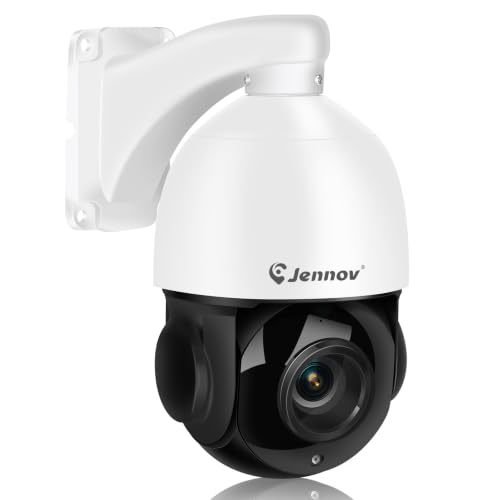
As an Amazon Associate we earn from qualifying purchases at no extra cost to you.
How to read PTZ camera specs
- Optical zoom: a 12x to 30x range is common. The maker’s number is optical zoom; digital zoom beyond it reduces image quality. Longer zoom suits large rooms; short zoom suits small rooms.
- Field of view at the widest end: a narrow wide-angle limit forces you to place the camera far from the subject in small rooms. Makers often list horizontal angle of view.
- Output: HDMI and SDI feed a switcher directly; USB works as a webcam; IP outputs (NDI, SRT, RTSP, RTMP) allow network distribution. Some models also support NDI HX, a compressed version suited to normal networks.
- Power: PoE or PoE+ allows a single network cable for power, control and video on some models, while others require a separate power adapter.
- Presets and tracking: presets recall saved positions, and auto-tracking follows a person automatically. Tracking quality varies by model and room lighting.
- Sensor and low-light behaviour: a one-inch sensor generally copes with dim venues better than a small sensor, but costs more and typically shortens zoom range.
At a glance: representative current PTZ options
| Camera | Best for | Key stated specs or notes | Limits |
|---|---|---|---|
| Canon CR-N300 | Mid-sized rooms, worship, events | The maker lists 4K output and a long optical zoom, with IP and HDMI outputs on the PTZ series | Mid-range to premium; needs matching controller for best use |
| Canon CR-N500 / CR-N700 | Larger venues, broadcast quality | The maker positions these as higher-end models with larger sensors and more features | Premium tier |
| Sony SRG-A40 / SRG-A12 | Corporate and education | The maker describes AI-based tracking features; A40 is a 4K model and A12 a smaller 1080p-class model | Mid-range to premium; best in Sony-based workflows |
| PTZOptics Move 4K / Move SE | Churches, streaming, small studios | The maker lists NDI HX and other IP protocols, with a range of zoom options | Zoom range depends on exact variant |
| Panasonic AW-UE series (for example AW-UE50, AW-UE80, AW-UE150) | Professional broadcast, larger venues | The maker lists multi-protocol IP output and 4K support on higher models | Premium tier; larger systems |
| Logitech PTZ Pro 2 | Meeting rooms and USB video calls | The maker lists a 1080p camera with 10x HD zoom and USB connectivity | Not designed for broadcast IP workflows |
| OBSBOT Tail Air / Tail 2 | Solo streamers, small rooms, hybrid events | The maker describes AI tracking and NDI, HDMI and USB options in a compact body | Smaller zoom range; less rugged than broadcast models |
| BirdDog P200 / P240 | NDI-centred production | The maker positions these around NDI with an emphasis on integration | Premium tier; network knowledge required |
Model lineups change often; use the maker’s current spec page to confirm exact zoom, sensor size and protocols for the variant you are considering.
Picking by use case
Houses of worship and event venues
These spaces typically need long zoom, quiet motors and the ability to run several cameras from one operator. NDI or SRT over PoE lets you cable cameras with standard network runs. Canon and PTZOptics lines are frequently covered in church-media reviews, and Panasonic’s AW-UE series appears in larger venues that need broadcast-level control.
Schools and lecture capture
Auto-tracking is useful when a lecturer moves, and AI features can reduce the need for an operator. Sony’s SRG-A series is positioned by the maker for education and corporate use, and reviewers often mention the tracking features as the main selling point. Test tracking in your actual lighting, because reflective whiteboards and projectors can confuse it.
Small business meetings and hybrid rooms
For video calls, USB support is the key. Logitech’s PTZ Pro 2 plugs in like a webcam and works with common conferencing apps. All-in-one conferencing bars may be simpler if you do not need remote operation of several camera angles.
Solo streamers and small studios
Compact AI-tracking cameras such as the OBSBOT Tail family are designed for streaming and small rooms. They offer tracking, gesture control in some models and multiple outputs, but with shorter zoom and smaller sensors than broadcast cameras.
Budget tiers without the price tags
- Budget tier: compact USB-first PTZ cameras and entry NDI HX models. Expect 1080p, shorter zoom and basic tracking.
- Mid-range tier: 4K PTZ cameras with IP outputs, PoE power and quieter motors, such as PTZOptics and Canon’s entry models.
- Premium tier: broadcast PTZ cameras from Panasonic, Sony, Canon and BirdDog with larger sensors, better low-light performance, precise remote heads and professional protocol support.
Installation, compatibility and care notes
- Mounting: a ceiling or wall mount needs a structural check. Have a qualified installer confirm load capacity, and do not mount overhead without proper hardware.
- Power: PoE needs a compliant switch or injector with enough power budget. Use certified network cable and follow electrical safety guidance; hire a qualified electrician for permanent power wiring.
- Controllers: joystick controllers, software panels and web interfaces vary. Confirm that a camera supports VISCA over IP or the protocol your controller uses.
- Network: NDI full bandwidth needs a gigabit network, while NDI HX and SRT suit more modest networks. Keep camera VLANs separate where possible and change default passwords.
- Cabling distance: HDMI has distance limits; SDI and network cabling travel further.
- Maintenance: dust the lens gently and keep motors free to move; follow the maker’s manual for firmware updates.
Pick X if… decision table
| If you… | Choose | Why |
|---|---|---|
| Run a church or venue with several cameras | Canon CR-N series, PTZOptics Move or Panasonic AW-UE | IP output, presets, PoE and long zoom |
| Need automatic tracking for lectures | Sony SRG-A series | The maker highlights AI tracking features |
| Join video calls in a small meeting room | Logitech PTZ Pro 2 | USB plug-and-play with remote control |
| Stream solo from a desk | OBSBOT Tail Air or Tail 2 | Compact AI tracking and multiple outputs |
| Build an NDI-centred workflow | BirdDog P-series or PTZOptics Move | NDI integration is a core feature |
| Work in dim, large venues | Higher-end Canon or Panasonic with larger sensors | Better low-light behaviour and longer lens |
Alternatives to consider
- Webcams and conferencing bars: simpler for small rooms where remote movement is unnecessary.
- Fixed mirrorless or cinema cameras: better image quality for a single locked-off angle, though without remote movement.
- Robotic PTZ heads with your own camera: lets you use a cinema lens, though it requires more engineering.
Planning a first PTZ setup
Start by sketching the room: where the camera will sit, how far it is from the subject, and where cables can run. Decide whether you need one camera with presets or several cameras with a controller. List the outputs your switcher or streaming computer accepts, then match them to the camera: HDMI and SDI for hardware switchers, USB for conferencing apps, NDI or SRT for network workflows. Reserve budget for the extras that people forget, such as a PoE switch, mounting hardware, a controller and a UPS or surge protection. Finally, train volunteers or staff on the presets before the first live event, since a well-configured camera can still look poor if nobody knows how to recall positions.
Frequently Asked Questions
What does PTZ mean on a camera?
PTZ stands for pan, tilt and zoom. The camera head moves left and right, up and down, and zooms the lens, all by remote control or software.
Do I need NDI for a PTZ camera?
No. If you only need to feed a switcher or a PC, HDMI, SDI or USB may be enough. NDI is helpful when you want to send video over a network and control multiple cameras with a single cable.
Is auto-tracking reliable?
It depends on the model and the room. Reviewers report that tracking works best with good, even lighting and a single presenter. Busy backgrounds and reflective surfaces can cause errors, so plan for a manual override.
Can a PTZ camera replace a regular camera operator?
For simple scenes such as talks and services, yes. For dynamic events needing creative framing, a human operator still delivers better results. Many venues combine presets with a trained volunteer.
What zoom range do I need?
Measure the distance from the camera to the farthest subject and compare it with the maker’s field-of-view figures. Small rooms may need a wide angle more than long zoom, while auditoriums benefit from 20x or more.
Is PoE safe to use for PTZ cameras?
PoE is a standard method when used with a compliant switch and cabling. If you are unsure about the power budget or install, a qualified installer or electrician should handle the work.





