
Key takeaways
- Never place a camera in a bathroom, bedroom used by guests or tenants, changing room or any place where people expect privacy.
- Audio recording is regulated separately from video in many places; some jurisdictions require consent from everyone in a conversation.
- Landlords, employers and childcare setups often have notice requirements. Notices or signs may be required for cameras that monitor staff, tenants or visitors.
- Cameras that look at neighbours’ property or public areas may breach privacy rules.
- If you are unsure, consult a local attorney or your local authority before installing a camera.
If you want a small, discreet camera for lawful uses such as watching your own home, entryway or office, a compact Wi-Fi indoor camera from a mainstream brand (Wyze, eufy, TP-Link Tapo, Reolink) is a better and safer choice than a disguised “spy” gadget, while a thumb-sized wearable such as the Insta360 GO 3S suits discreet-looking first-person video where everyone present knows they are being recorded. Before buying any concealed or small camera, read your local rules: recording in private spaces such as bathrooms or changing areas is illegal in most places, and recording audio or people without consent can break the law even in your own home.
Our top picks



As an Amazon Associate we earn from qualifying purchases at no extra cost to you.
Legal and ethical basics first
This guide covers cameras for legitimate uses: home security, pet and package monitoring, small-business premises, travel safety and personal video. It does not cover covert recording of people who do not know about it. Laws differ by country, state and situation, and the points below are general information rather than legal advice.
- Never place a camera in a bathroom, bedroom used by guests or tenants, changing room or any place where people expect privacy.
- Audio recording is regulated separately from video in many places; some jurisdictions require consent from everyone in a conversation.
- Landlords, employers and childcare setups often have notice requirements. Notices or signs may be required for cameras that monitor staff, tenants or visitors.
- Cameras that look at neighbours’ property or public areas may breach privacy rules.
- If you are unsure, consult a local attorney or your local authority before installing a camera.
What “spy camera” usually means
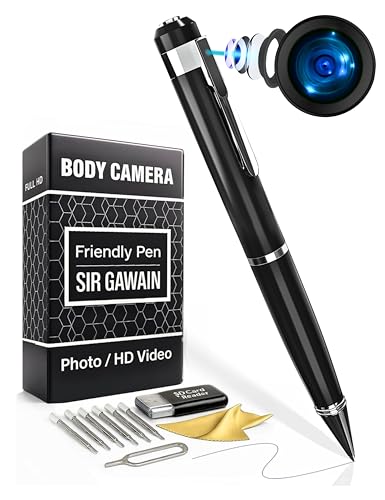
The term covers several product types: tiny Wi-Fi cubes, cameras disguised as clocks, chargers or smoke-detector lookalikes, pen cameras, button-sized wearables and ultra-compact action cameras. Reviewers and consumer-safety groups have raised several concerns with disguised gadgets: unreliable apps, weak security, poor night video and little manufacturer support. A mainstream small camera from an established brand tends to have regular firmware updates, encryption and a clear privacy policy, which matters when the device records inside your home.
At a glance: small and discreet camera options
| Camera | Type | Best for | Key stated specs or notes | Limits |
|---|---|---|---|---|
| Wyze Cam v4 | Compact indoor/outdoor Wi-Fi camera | Budget home monitoring | The maker lists 2.5K video, colour night vision and local microSD recording | Cloud features may need a subscription; app-based setup |
| eufy Indoor Cam (C120 / C220 series) | Pan-and-tilt indoor camera | Rooms you own, pet watching | The maker lists local storage options and AI person detection on some models | Features depend on exact model; larger than a mini cube |
| TP-Link Tapo C120 / C210 | Compact Wi-Fi camera | Budget flexible placement | The maker lists microSD recording and app-based alerts | Cloud plan optional; basic app |
| Reolink E1 series / E1 Zoom | Indoor pan-tilt camera | Wider coverage from one device | The maker lists higher-resolution video and local recording options | Bigger than hidden-style cameras |
| Insta360 GO 3S | Thumb-sized wearable camera | First-person video, travel and hands-free capture | The maker describes a very small body with a magnetic mount and 4K video | Short recording times; obvious when worn; not a security camera |
| GoPro Hero (compact models) | Action camera | Rugged mobile use | The maker lists waterproofing and stabilisation features | Larger and more visible than mini cameras |
| Generic clock or charger cameras | Disguised camera | Rarely recommended | Specifications vary widely by seller | Inconsistent software, security and legal risk |
Check the maker’s page for exact specifications, because features and model numbers change from year to year.
Picking by use
Watching your own home or pets
Mainstream compact cameras like the Wyze Cam v4 or Tapo C120/C210 deliver 24/7 or motion-triggered video, mobile alerts and two-way audio. If you want to look around a room, pan-and-tilt models such as eufy’s Indoor Cam or Reolink’s E1 series cover more space. Reviewers commonly advise disabling features you do not need, such as remote viewing from unknown devices, and enabling two-factor authentication on the account.
Entryways and shared spaces
Choose a camera with a clear field of view and a weather-resistant housing if it faces outdoors. Notifying household members and posting signage where required is good practice and in some regions a legal requirement.
Travel and personal safety
A small wearable or action camera can record your own journeys. The Insta360 GO 3S is described by the maker as thumb-sized, and its design suits quick, hands-free capture, but it is obvious enough that people can see it. Check local rules about filming in places such as airports, government buildings and religious sites.
Small business premises
Offices, shops and workshops often use compact cameras. Many places require notices when cameras monitor staff. Avoid private areas such as restrooms, and consider talking to an employment lawyer about audio policies.
Budget tiers without the price tags
- Budget tier: Wyze and Tapo compact cameras. Good for small rooms and basic alerts, with some features behind optional subscriptions.
- Mid-range tier: eufy and Reolink models with local storage, pan-and-tilt and stronger detection features.
- Premium tier: wearable and action cameras from Insta360 and GoPro, plus professional security systems with managed recording. These suit specialised use rather than general home monitoring.
Fit, privacy and security notes
- Power: most compact cameras need a plug-in power adapter. Use the supplied adapter and cable, never overload extension leads, and follow the maker’s instructions. Battery-powered cameras need regular charging.
- Storage: microSD card slots offer local recording; cloud plans add convenience at an ongoing cost. Read the privacy policy to learn where video goes.
- Network security: change default passwords, use unique passwords, turn on two-factor authentication and keep firmware current.
- Night vision: infrared illuminators are visible as faint red lights on some models, which affects discreet placement and may matter for transparency.
- Field of view: wide angles cover more space but add distortion. Position a camera at a height where it sees the area but not private spaces.
- Finding unknown cameras: if you are worried about hidden devices in rentals or hotels, check for unusual objects, scan the network for unfamiliar devices and report concerns to the host or local authorities.
Pick X if… decision table
| If you… | Choose | Why |
|---|---|---|
| Want an inexpensive indoor camera | Wyze Cam v4 or Tapo C120/C210 | Small, simple app, local storage |
| Need to cover a larger room | eufy Indoor Cam or Reolink E1 | Pan-and-tilt reduces blind spots |
| Want hands-free video while travelling | Insta360 GO 3S | Tiny wearable with a magnetic mount |
| Want rugged mobile video | GoPro Hero | Waterproof and stabilised |
| Care about privacy and updates | Established brands with clear policies | Firmware support and security practices |
| Are tempted by a disguised clock or charger | Skip it and choose a visible compact camera | Legal risk, weak support, quality concerns |
Alternatives to consider
- Video doorbells: a good way to cover your front door with a visible camera.
- Baby and pet monitors: purpose-built for rooms where you want to watch a child or animal, often with better audio and temperature features.
- Professional security systems: wired or PoE camera systems provide more reliability for larger properties.
Setting up a small camera responsibly
Once you have chosen a camera, spend a few minutes on setup. Create a strong, unique password and turn on two-factor authentication for the account. Update the firmware before first use. Set activity zones so the camera does not record neighbours’ windows or shared areas. Decide who has access to the footage and for how long you will keep it, and delete clips you no longer need. If the camera covers an area where visitors, tenants or staff may be recorded, tell them and follow any posting rules in your area. A visible camera with clear signage is often the most effective and the most defensible approach.
Frequently Asked Questions
Are spy cameras legal?
Owning a small camera is generally legal in many places, but how you use it matters. Recording in private areas, hiding cameras from people with a reasonable expectation of privacy or recording audio without consent can be illegal. Ask a local legal professional if you are unsure.
Can I put a hidden camera in my own home?
Rules vary. Even in your own home, recording guests, tenants, nannies or visitors may require notice or consent, and some spaces are off limits. Many experts suggest visible cameras with signage as a safer option.
What features matter most in a small camera?
Look for clear video, reliable night vision, local storage options, a trustworthy app and ongoing firmware updates. Strong account security such as two-factor authentication is as important as the lens.
How do I detect a hidden camera in a rental?
Look for unusual objects, lens reflections and devices pointed at beds or bathrooms. You can also scan the network for unknown devices. If you find something, document it and contact the host, the platform and local authorities.
Do small cameras record sound?
Many do, and audio recording is regulated more strictly than video in some places. You can usually disable microphones in the app. Turn audio off unless you are sure it is allowed.
Are wearable cameras a good substitute?
For first-person video they work well, but they have short battery life and are not meant for continuous monitoring. They are best for personal use where those around you know you are recording.





