Key takeaways
- Dye ink printers (many home printers) pair well with glossy and luster papers.
- Pigment ink printers work with fine art and luster papers, and offer better longevity.
- Look for paper marked as compatible with your printer type.
- Install the paper’s ICC profile when the maker offers one, and choose the right media setting in the driver.
The best photo paper for most home printers is a 240 to 260 gsm luster paper such as Canon Pro Luster, with Epson Premium Photo Paper Glossy as the good-value glossy option. For fine art prints, Hahnemuhle Photo Rag (matte cotton) or Photo Rag Baryta (glossy fine art) are the standards. Match the paper to your printer ink system, pick the finish by where the print will hang, and use the correct ICC profile for best color.
Our top picks
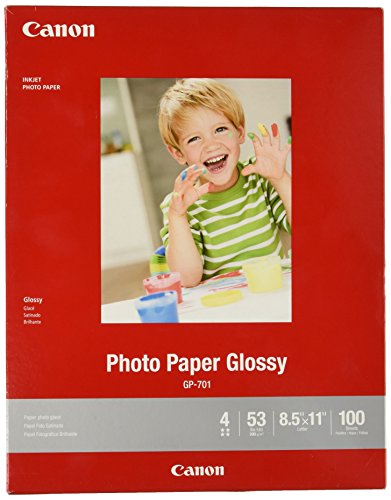
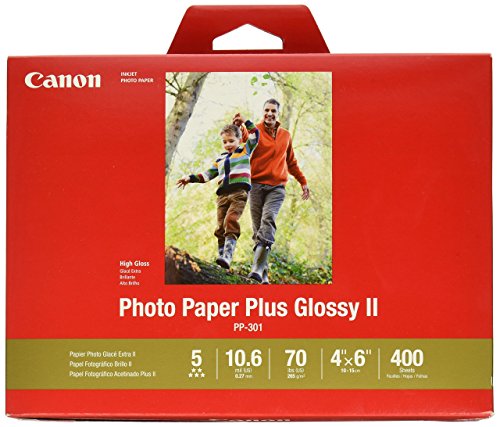
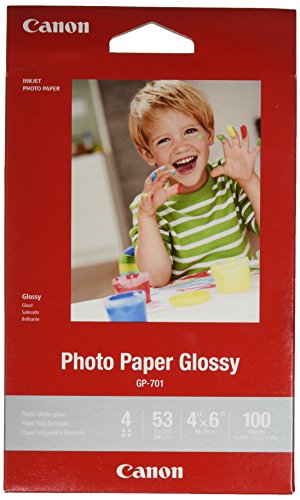

As an Amazon Associate we earn from qualifying purchases at no extra cost to you.
Quick Comparison of the Picks
| Paper | Best for | Key specs | Price range |
|---|---|---|---|
| Canon Pro Luster (LU-101) | Best overall for framing and selling prints | About 260 gsm, luster finish, resists glare and fingerprints | Mid |
| Epson Premium Photo Paper Glossy | Everyday glossy prints on a budget | About 252 gsm, high gloss, made for Epson Claria and EcoTank inks | Budget to mid |
| Epson Ultra Premium Photo Paper Luster | Pro-level luster | About 240 gsm, wide color gamut, fast drying | Mid |
| Canon Platinum Pro (PT-101) | Rich blacks in glossy prints | High gloss, neutral white base | Mid to upper-mid |
| Hahnemuhle Photo Rag | Fine art matte prints | About 308 gsm, 100 percent cotton | Premium |
| Hahnemuhle Photo Rag Baryta | Glossy fine art, gallery work | Baryta glossy surface, heavy fine-art base | Premium |
Specs are from manufacturer pages and 2026 roundups. Always check the weight and compatibility for your printer model.
Choosing a Finish
| Finish | Look | Best for | Watch for |
|---|---|---|---|
| Glossy | Shiny, vivid color and deep black | Snapshots, albums | Fingerprints and glare |
| Luster / Satin | Slight texture, medium sheen | Framed prints, portfolio | Slightly less punchy than gloss |
| Matte | No glare, soft contrast | Fine art, black-and-white | Lower black density |
| Baryta / fiber | Gallery-grade gloss with depth | Exhibition prints | Cost |
Best Overall: Canon Pro Luster
Canon Pro Luster is the most frequent winner. At about 260 gsm, it has a thick feel, a luster finish that resists glare and smudging, and works for display and sale. One reviewer notes it is a compromise paper: colors are rich but less punchy than high gloss. Main trade-off: it is made for Canon printers first, but works in others with the right profile.
Best Budget Glossy: Epson Premium Photo Paper Glossy
This paper is a long-time default for home photo prints. It offers sharp color and a high-gloss finish at a modest price, designed around Epson inks but suitable in other inkjets. One reviewer says it feels a little thin compared with premium sheets. Main trade-off: less longevity and less thickness than pro stock.
Best Pro Luster: Epson Ultra Premium Luster
Epson’s pro-grade luster is about 240 gsm with a wide gamut, fast drying and strong longevity claims. It suits Epson photo printers and is a good alternative to Canon’s paper if you own an Epson machine.
Best for Deep Blacks: Canon Platinum Pro
Canon’s Platinum Pro is a glossy paper known for rich blacks and a neutral white base. It makes sense for high-contrast images and prints viewed under controlled light.
Best Fine Art: Hahnemuhle Photo Rag and Photo Rag Baryta
Photo Rag is a heavy, 100 percent cotton matte paper at about 308 gsm. Photo Rag Baryta provides a glossy finish with a fine-art feel and is described as costly but worthwhile for gallery work. Main trade-off: price and the need for correct profiles and slower drying.
Paper Weight and Cost Per Print
Weight tells you how substantial the paper feels. Around 190 gsm is thin, 240 to 260 gsm is a premium feel, and 300 gsm plus is fine-art weight. Cost per print includes paper and ink. As a worked example, if a pack of 50 sheets of 8×10 paper costs P, one sheet costs P divided by 50. Add the ink for a full page; many printer makers estimate ink cost per page in their literature. A premium paper that reduces failed prints can be cheaper per keeper than a cheap one that you reprint often.
Match Paper to Printer and Ink
- Dye ink printers (many home printers) pair well with glossy and luster papers.
- Pigment ink printers work with fine art and luster papers, and offer better longevity.
- Look for paper marked as compatible with your printer type.
- Install the paper’s ICC profile when the maker offers one, and choose the right media setting in the driver.
Print Quality Tips
- Calibrate your monitor so what you see matches the print.
- Choose the correct paper type in the print dialog.
- Print a small test strip before the full print.
- Let prints dry before stacking or framing.
- Store prints flat away from light and humidity.
Common Mistakes
- Printing on the wrong side of the paper.
- Using plain-paper settings for photo paper.
- Touching the surface; handle by the edges.
- Ignoring drying time on baryta and fine art papers.
- Framing without a mat when using glossy paper; use a mat to avoid sticking to glass.
Ownership Realities
Photo paper has a shelf life and care rules. Keep unopened packs flat, sealed and away from heat and humidity; once opened, store sheets in the original bag or a box so they do not curl or pick up dust. Print on the side the maker recommends, usually the brighter, whiter, coated side, and handle sheets by the edges to avoid oils from your fingers.
Ink use depends on paper and settings. Choosing the correct media type tells the printer how much ink to lay down; selecting glossy for matte paper, or the reverse, can cause pooling, smearing or dull blacks. Ink and paper are a system, so a branded paper with a matching profile usually gives the most accurate color, while third-party paper can be excellent if you load a profile or run test prints.
Longevity depends on storage as much as materials. Prints kept in a framed mat behind UV-filtering glass, away from direct sun, will last far longer than prints left on a sunny shelf. Bleeding between stacked sheets, curling in humid rooms and fingerprints on glossy surfaces are common problems; let prints dry fully, interleave them with clean paper if stacking, and consider a protective spray only if the paper maker approves it.
Frequently Asked Questions
Is luster or glossy better?
Luster is better for framed prints because it reduces glare and fingerprints. Glossy is better when you want maximum color pop.
Can I use any photo paper in my printer?
Many third-party papers work, but you should check compatibility and use the right profile. Dye and pigment printers behave differently.
What weight is best for photos?
240 to 260 gsm is a good range for home photographers. Fine art papers go heavier.
How long do inkjet photo prints last?
It depends on ink, paper and storage. Pigment inks and quality paper typically last longer, and keeping prints out of sunlight helps.
Do I need fine art paper?
Only if you want a gallery look or sell prints. For most family photos, luster or glossy is enough.