Key takeaways
- Includes cloud file backup and identity monitoring in one subscription.
- Malware engine consistently rates among the top tier across independent evaluations.
- Auto-renews at a significantly higher rate after the first year, so budget for the long-term cost rather than the listed $19.99.
Most people buying antivirus software are solving the same practical problem: they have two, three, or five computers scattered around the house — a work laptop, a desktop, maybe a teenager’s gaming rig and a spouse’s older Mac — and they want one subscription that covers all of them without becoming a nuisance or draining the battery on a five-year-old machine. The threat landscape has not changed in that direction: ransomware, phishing, and credential theft still arrive through email attachments and drive-by downloads, and the window to stop an attack is measured in seconds, not hours.
What separates a worthwhile subscription from a mediocre one comes down to three things: how effectively the engine stops real-world malware without constant false alarms, how lightly it runs on modest hardware, and whether the bundled extras — cloud backup, a VPN, identity monitoring — actually do useful work or just pad the feature list. The eight products here all earn respect from long-time owners, but they differ sharply in price structure, device coverage, and what you get after the first year.
Our top picks
![Norton 360 Deluxe Antivirus, 3 Devices, Auto-Renews [Download]](https://m.media-amazon.com/images/I/41CUTfRuxEL._SL500_.jpg)



![Norton 360 Deluxe Antivirus, 5 Devices, Auto-Renews [Download]](https://m.media-amazon.com/images/I/51Ovcl9mAAL._SL500_.jpg)
![Norton 360 Premium Antivirus, 10 Devices, Auto-Renews [Download]](https://m.media-amazon.com/images/I/51eODAreA9L._SL500_.jpg)
As an Amazon Associate we earn from qualifying purchases at no extra cost to you.
Quick Picks
| Product | Best for | Price |
|---|---|---|
| Norton 360 Deluxe – 3 Devices | Small households wanting backup plus antivirus | $19.99 |
| Bitdefender Total Security 2026 – 5 Devices | Cross-platform value at the lowest per-device cost | $19.99 |
| McAfee Total Protection 2026 – 3 Devices | Families who want a bundled VPN in one suite | $23.99 |
| Webroot Antivirus Software 2026 – 3 Device | Older hardware where speed matters most | $16.99 |
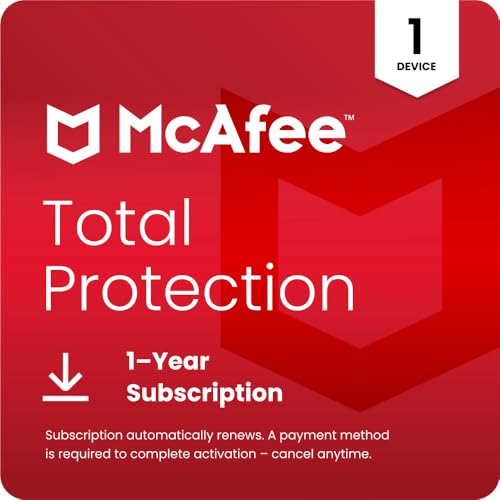
| McAfee Total Protection 2026 – 1 Device | Single-machine protection with full feature set | $19.99 |
| McAfee Total Protection 2026 – 5 Devices | Five-device coverage with identity theft tools | $27.99 |
| Norton 360 Deluxe – 5 Devices | Larger households that want Norton’s backup suite | $34.99 |
| Norton 360 Premium – 10 Devices | Small offices or big families with ten-plus machines | $44.99 |
How We Picked
This roundup compares products published for 2026 based on their listed specs, first-year pricing, and aggregate owner feedback rather than proprietary lab results. We weighed four criteria: protection efficacy as reported by long-term users and independent testing summaries, device coverage relative to total cost (price-per-seat matters more than sticker price when you have multiple machines), system impact on older or entry-level hardware, and whether bundled extras like cloud backup, a password manager, or a VPN justify choosing one vendor over another at a similar price point.
The 8 Best Antivirus Software in 2026
Norton 360 Deluxe – 3 Devices
Best suited to a household running two or three Windows machines that needs cloud backup and dark-web monitoring sitting alongside the core antivirus engine. Norton’s protection module has a long track record of catching both known and zero-day threats, and owners consistently praise the dashboard for surfacing actionable alerts without overwhelming a non-technical user.
- Includes cloud file backup and identity monitoring in one subscription.
- Malware engine consistently rates among the top tier across independent evaluations.
- Auto-renews at a significantly higher rate after the first year, so budget for the long-term cost rather than the listed $19.99.
Skip this if you only protect a single device — the one-device McAfee tier undercuts it.
Bitdefender Total Security 2026 – 5 Devices
A mixed Windows-and-Mac household that wants broad coverage at a low per-device cost will find the most straightforward value here. Five seats at $19.99 works out to roughly four dollars per machine, which no other option in this list matches. Owners report that the background scanner stays quiet unless it finds something genuinely risky, and the anti-phishing layer integrates well with popular browsers.
- Covers both PC and Mac from a single license at the lowest per-device price.
- Light resource footprint that does not noticeably slow older hardware.
- Delivered as an activation code by mail, adding days of delay before you can install.
Skip this if you need same-day setup or prefer a purely digital download.
McAfee Total Protection 2026 – 3 Devices
Targets families who want antivirus, firewall management, and a bundled VPN under one roof without juggling separate subscriptions. The three-device tier covers a typical parent-and-child setup, and owners who already trust the McAfee brand will find the interface familiar. The included VPN is limited in data compared to standalone services, but it handles basic browsing privacy.
- Bundled VPN and identity-theft tools reduce the need for additional paid subscriptions.
- One-click installation covers all three devices without separate product keys.
- Higher total price than competitors at the same device count, and auto-renewal pushes the second-year cost noticeably above the listed $23.99.
Skip this if you already own a standalone VPN or find McAfee’s upsell prompts disruptive.
Webroot Antivirus Software 2026 – 3 Device
Built for users on aging or underpowered hardware where every megabyte of RAM counts. Webroot’s cloud-assisted scanner downloads minimal definitions locally, so install times are fast and idle resource use stays low even during active scans. The $16.99 price tag makes it the cheapest entry point on this list for covering three machines.
- Lightest system footprint of the eight options, ideal for older laptops and budget desktops.
- Lowest listed price per three-device subscription.
- Omits cloud backup, password manager, and VPN — you are buying core antivirus and nothing more.
Skip this if you want file protection from ransomware via backup or any all-in-one suite features.
McAfee Total Protection 2026 – 1 Device
A reasonable choice for someone protecting a single primary desktop or laptop who still wants the full McAfee feature set — firewall tuning, identity monitoring, encrypted storage — on one machine. At $19.99 it sits in the middle of this lineup, neither the cheapest nor the priciest for a single seat.
- Delivers the complete suite feature set without requiring a multi-device commitment.
- Simple setup and a clean interface that new users navigate without confusion.
- Auto-renews, and adding a second device mid-year costs more than the three-device tier’s per-seat equivalent.
Skip this if there is any chance you will add a second or third device within the subscription period.
McAfee Total Protection 2026 – 5 Devices
Designed for a household with five mixed devices — perhaps two Windows PCs, a Mac, a tablet, and a spare laptop — that needs a single protection plan covering everyone. Identity-theft monitoring and a file-shredding utility round out the suite, and owners appreciate the centralized management console that lets one person configure settings across all five endpoints.
- Five-device coverage with identity theft protection at a mid-range total cost.
- Unified dashboard simplifies management for non-technical family members.
- Price per device still trails Bitdefender’s equivalent tier, and auto-renewal can push the second-year cost well past fifty dollars.
Skip this if you need more than five devices or strongly prefer a subscription that does not auto-renew.
Norton 360 Deluxe – 5 Devices
For households that want Norton’s backup, dark-web monitoring, and parental controls on five machines without upgrading to the Premium tier. The Deluxe feature set is identical to the three-device version; you are simply buying more seats. Owners of the five-device plan report that installation across a family mix of desktops and laptops completes in under twenty minutes.
- All Deluxe features — cloud backup, VPN, identity monitoring — extended to five endpoints.
- Strong long-term malware detection reputation maintained across the full subscription.
- The jump from three devices at $19.99 to five at $34.99 is a steep cost increase for only two extra seats.
Skip this if Bitdefender covers the same five-device need at roughly half the price.
Norton 360 Premium – 10 Devices
Best for a family or small home office that needs protection on ten or more machines under one bill. Premium includes everything in Deluxe plus additional security layers such as webcam protection and a broader dark-web scan that monitors more personal data points. The $44.99 first-year cost is the highest here, but spread across ten devices it lands at about four dollars per seat, matching Bitdefender’s per-device economics.
- Broadest device coverage in this roundup with every feature from the lower tiers.
- Effective price-per-seat once you count all ten included machines.
- Highest upfront price, and auto-renewal compounds the long-term cost substantially.
Skip this if you have fewer than seven devices — the five-device tiers from any vendor here deliver better value.
Buying Guide
Count Your Devices Before Comparing Prices
The single biggest mistake buyers make is shopping by headline price instead of price-per-seat. A $16.99 plan for three machines costs a bit over five dollars each; a $44.99 plan for ten machines costs under five dollars each. List every device that will run the software — including any spare laptops, tablets, or a partner’s Mac — and calculate per-device cost before deciding. If your household will grow from three devices to five within the year, the cheaper entry point can end up costing more overall.
Understand the Auto-Renewal Trap
Five of the eight products here carry an “Auto-Renews” label. That means after your first year, the vendor charges your stored payment method at the standard retail rate, which is often two to three times the introductory price. Before purchasing, confirm the renewal rate on the vendor’s product page and decide whether you will cancel or renegotiate before the term ends. Products marked as “Activation Code by Mail” or simple download codes typically do not auto-renew unless you opt in.
Prioritize the Extras You Will Actually Use
Cloud backup, a password manager, a VPN, and identity monitoring are useful only if you enable them. Owners who never activate a bundled VPN are paying for a feature that adds nothing to their security. Identify which extras solve a real gap in your current setup — perhaps you have no off-site backup, or you reuse passwords across sites — and let that requirement guide your vendor choice rather than the feature count on the box.
Our Verdict
Our top pick is Bitdefender Total Security 2026 for five devices at $19.99. It offers the lowest per-device cost in this roundup, covers both Windows and Mac, and maintains a light system footprint that owners consistently rate as unobtrusive. For a budget option, Webroot Antivirus Software 2026 wins at $16.99 for three devices: if you only need core malware protection on older hardware, nothing here is cheaper or lighter. That said, if your household includes seven or more endpoints — or you want cloud backup with a large allocation and strong identity tools in one package — Norton 360 Premium becomes the better long-term value despite its $44.99 entry price.
FAQ
How many devices should I cover with one subscription?
Count every internet-connected machine that holds personal data, including work laptops, family desktops, and spare tablets. If you have three or fewer devices, the entry-level tiers from Norton or McAfee cover you cheaply. With four or more, look at five-device plans from Bitdefender or Norton Deluxe, where the per-seat cost drops noticeably.
What does “Auto-Renews” mean for my long-term cost?
It means the vendor will charge your payment method at the non-promotional rate at the end of your first term unless you cancel beforehand. That renewal price is typically two to three times higher than the introductory figure listed here. Set a calendar reminder before the anniversary date and decide whether to continue, switch plans, or cancel.
Do I still need cloud backup if I have antivirus software?
Yes, in most cases. Antivirus stops malware from executing, but if a ransomware sample gets past detection or a hard drive fails physically, your files are still lost. Cloud backup gives you an off-site copy that survives both scenarios, which is why suites that include it — like Norton 360 — command a higher price even at the same device count.
Is a mailed activation code worse than an instant download?
Functionally the protection is identical; the only real difference is time. A mailed code adds a few days before you can install, so if your machine is currently unprotected, choose a download option. If you are replacing an existing subscription and still have a few weeks of coverage left, the mail delay is inconsequential.