
Key takeaways
- Screen size: 5 inches is the portable standard; 7 inches is better for tripod, studio, and director-viewing positions.
- Brightness: Around 1,000 nits works in shade and controlled locations. Approximately 2,000 nits or more is preferable for open daylight, although a sun hood still improves contrast.
- Resolution: Full HD is sufficient for most monitoring. A 1920 × 1080 panel gives a sharper focus reference than a lower-resolution display; it does not make the camera’s recorded image more detailed.
- Monitoring tools: Waveform, vectorscope, false color, zebras, focus peaking, frame guides, anamorphic de-squeeze, and LUT preview are more valuable than a marginal increase in panel resolution.
- Power: Check whether the monitor accepts Sony NP-F, Canon LP-E6, NP-FZ100, or another battery family already used by your camera and accessories.
- Mounting: A locking HDMI connector, multiple 1/4-inch mounting points, and a sturdy tilt arm reduce cable strain and accidental screen movement.
The best camera field monitors for most filmmakers are the Atomos Ninja Ultra for recording and HDR workflows, the SmallHD Cine 5 for professional daylight monitoring, and a bright 7-inch monitor such as the Feelworld LUT7 when framing distance and visibility matter more than compactness.
Our top picks


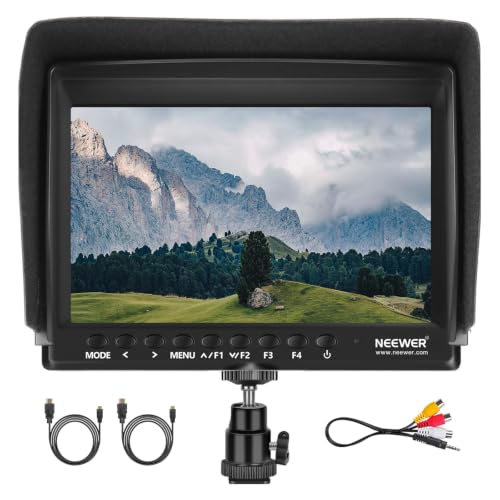
As an Amazon Associate we earn from qualifying purchases at no extra cost to you. Ratings are shown as listed on Amazon.
What to prioritize before buying
A field monitor is useful only when its display, inputs, power system, and mounting arrangement match the camera and the way you shoot. A larger screen is easier to judge from several feet away, but it adds weight to a gimbal or compact cage. A high-resolution panel can reveal focus errors, while brightness determines whether the image remains usable outdoors. Recording capability, waveform tools, and HDR support may matter more than raw screen size.
- Screen size: 5 inches is the portable standard; 7 inches is better for tripod, studio, and director-viewing positions.
- Brightness: Around 1,000 nits works in shade and controlled locations. Approximately 2,000 nits or more is preferable for open daylight, although a sun hood still improves contrast.
- Resolution: Full HD is sufficient for most monitoring. A 1920 × 1080 panel gives a sharper focus reference than a lower-resolution display; it does not make the camera’s recorded image more detailed.
- Monitoring tools: Waveform, vectorscope, false color, zebras, focus peaking, frame guides, anamorphic de-squeeze, and LUT preview are more valuable than a marginal increase in panel resolution.
- Power: Check whether the monitor accepts Sony NP-F, Canon LP-E6, NP-FZ100, or another battery family already used by your camera and accessories.
- Mounting: A locking HDMI connector, multiple 1/4-inch mounting points, and a sturdy tilt arm reduce cable strain and accidental screen movement.
Best camera field monitors compared
| Monitor | Screen and brightness | Key strengths | Power and recording | Best fit |
|---|---|---|---|---|
| Atomos Ninja Ultra | 5.2 inches; approximately 1,000 nits; 1920 × 1080 | HDR monitoring, RAW-capable recording with compatible cameras, scopes, LUTs | Sony NP-FZ100; records to compatible 2.5-inch SSD media | Hybrid shooters and filmmakers who need an external recorder |
| Atomos Shinobi II | Approximately 5 inches; up to 1,500 nits; 1920 × 1080 | Lightweight monitoring, touch interface, HDR and exposure tools | Commonly powered by NP-F or compatible DC solutions; monitor only | Small mirrorless and cinema-camera rigs |
| SmallHD Cine 5 | 5 inches; roughly 2,000 nits; 1920 × 1080 | Professional image tools, customizable pages, robust build | Battery plate varies by configuration; monitor only | Focus pullers and crews needing precise exposure and focus control |
| SmallHD Ultra 5 | 5 inches; up to approximately 3,000 nits; 1920 × 1080 | Very high daylight visibility and advanced monitoring workflow | Battery plate varies by configuration; monitor only | Bright exterior productions and demanding cinema rigs |
| Feelworld LUT7 | 7 inches; approximately 2,200 nits; 1920 × 1200 | Large bright display, LUT support, scopes, false color, focus tools | Typically NP-F battery compatible; monitor only | Budget-conscious tripod and outdoor operators |
| Blackmagic Video Assist 5-inch 3G or 12G HDR | 5 inches; model-dependent HDR-capable display, 1920 × 1080 | Monitoring plus recording; Blackmagic RAW support on compatible cameras | Uses Sony-style NP-F batteries; records to SD cards or external USB-C media, depending on model | Blackmagic users and productions wanting recording redundancy |
Specifications can vary by exact version, battery plate, and firmware, so confirm the camera’s output format and the monitor’s current compatibility list before purchase. In particular, HDMI RAW, frame rates, and recording codecs are not universal across cameras.
Situation-by-situation recommendations
For a compact mirrorless rig
Choose a 5-inch monitor weighing roughly 300 to 500 grams, with a 1,000-nit-or-brighter display and a single HDMI input. The Atomos Shinobi II is a sensible type of choice when you want exposure and focus tools without adding an external recorder. If you also need ProRes or another editing-friendly recording format, the Atomos Ninja Ultra is more capable, but the SSD, cable, and battery increase the rig’s size.
For direct sunlight
Brightness is the deciding specification. A 2,000-nit monitor such as the SmallHD Cine 5 or Feelworld LUT7 remains more legible than a 1,000-nit display, but no screen defeats harsh reflections completely. Use a fitted hood, angle the monitor away from the sun, and clean fingerprints from the panel. A seven-inch screen is easier to share with a director, but its larger surface can catch more reflections and wind.
For narrative and commercial crews
The SmallHD Cine 5 or Ultra 5 is aimed at operators who need repeatable monitoring rather than simple image enlargement. Page-based tools, customizable exposure scales, 3D LUT preview, waveform, vectorscope, and false color can be configured for different cameras or lighting setups. The Ultra 5’s extra brightness is valuable outdoors; the Cine 5 may be the more balanced choice when the monitor spends much of its time under cover.
For external recording
Choose the Atomos Ninja Ultra or a Blackmagic Video Assist model that matches your camera’s output. External recording can provide higher-quality codecs, RAW workflows, or longer recording times, but it adds media cost, power consumption, and another point of failure. Check whether the camera sends a clean HDMI signal, whether timecode is supported, and whether the selected monitor records the exact resolution and frame rate you need.
Decision matrix
| Your situation | Priority | Most suitable monitor type |
|---|---|---|
| Occasional creator, limited budget | Simple setup, low accessory cost | 5-inch 1,000–1,500-nit monitor with NP-F batteries |
| Frequent solo videographer | Fast focus and exposure decisions | 5-inch monitor with waveform, false color, peaking, and a locking tilt arm |
| Outdoor documentary shooter | Sunlight visibility and low weight | 5-inch monitor above 2,000 nits with a hood |
| Director or client viewing from several feet away | Readable framing and focus | 7-inch 1,500–2,200-nit monitor on a separate stand or arm |
| Camera operator needing editing-ready files | External recording and codec choice | Atomos Ninja Ultra or compatible Video Assist recorder |
| Gimbal or drone-style lightweight build | Low mass and minimal cabling | Compact 5-inch monitor, no recorder, short flexible HDMI cable |
Battery runtime: a practical estimate
Battery life depends on brightness, wireless functions, recording, and battery condition. A useful estimate is:
Runtime in hours = battery watt-hours × 0.8 ÷ monitor power draw in watts.
For example, a 7.4-volt, 5,200-mAh battery stores about 38.5 watt-hours. With a monitor drawing 8 watts, the theoretical runtime is 4.8 hours; allowing for conversion losses and imperfect battery capacity, plan on approximately 3.5 to 4 hours. External recording, a wireless transmitter, and a camera powered from the same battery can reduce that figure sharply.
NP-F batteries are widely available in several capacities, while proprietary camera batteries can keep a compact rig neater. For a full shooting day, carry at least two batteries or use a regulated mains or V-mount solution. Do not judge capacity solely by milliamp-hours: voltage differs between battery systems, so watt-hours are the useful comparison.
Mounting and cable details that affect reliability
Place the monitor close enough to the camera that the HDMI cable has a gentle bend. A short, flexible cable with strain relief is safer than a long cable looping from the camera. Use a locking connector where the monitor supports one, but remember that a locking HDMI socket does not make a non-locking camera port indestructible.
A tilt arm with a locking mechanism is preferable to a basic friction ball head for heavier 7-inch monitors. Mounting above the camera improves eye-level viewing, while a side mount can keep the monitor clear of a top handle. On a gimbal, keep the display centered and check balance after installing the battery and cable, not before.
Ownership realities and common mistakes
- Brightness consumes power: Running at maximum brightness all day shortens runtime and can increase heat. Use the lowest setting that remains readable.
- Sun hoods wear out: Fabric hoods crease and hook-and-loop fasteners lose grip. Treat the hood as a consumable accessory rather than a permanent structural part.
- HDMI ports are vulnerable: Secure the cable to the cage when possible, and never let the cable’s weight hang from the camera socket.
- Touchscreens need care: Use a clean microfiber cloth; abrasive wipes and shirt fabric can damage coatings or leave grit on the panel.
- Calibration matters: A LUT preview is not proof of correct exposure or final color. Use waveform and false color for exposure, and keep a neutral viewing mode available.
- Battery contacts collect dust: Remove batteries for storage and inspect contacts if the monitor intermittently shuts down.
Final buying advice
Buy a bright 5-inch monitor if portability is the priority, a 7-inch model if the screen must be judged from a distance, and an external recorder only when its codec or RAW capability solves a real workflow problem. For the best balance of tools and recording, choose the Atomos Ninja Ultra. For demanding daylight monitoring, choose the brightest SmallHD model your mounting and power system can support. For a lower-cost large display, a bright 7-inch monitor such as the Feelworld LUT7 can provide more useful viewing area than a premium 5-inch screen, provided you accept its added size and simpler integration.
