Key takeaways
- Best value for a new, budget-conscious gaming PC: Core i5-14400F. Its 10 cores (6 performance cores and 4 efficiency cores) are ample for gaming and everyday multitasking, and its 65 W base power makes cooling easier than on higher-tier chips.
- Best for higher frame rates and heavier multitasking: Core i5-14600KF. Its 6 performance cores and 8 efficiency cores can help in CPU-heavy games and while streaming or running background apps. It needs a capable cooler, and the KF model has no integrated graphics.
- Best when upgrading an existing LGA1700 PC: Core i5-13600K or 14600K, depending on the price gap and the motherboard’s BIOS support. A 13600K can be a particularly sensible upgrade if it costs less and avoids replacing other components.
- Best for a small cooler or quiet, modest-power build: Core i5-13400 or 14400, rather than a K-series chip. The non-F versions include integrated graphics, useful for troubleshooting if the graphics card is removed.
Best i5 CPU for Gaming: Performance and Value Picks
The best i5 CPU for gaming for most budget-to-mid-range builds is the Intel Core i5-14600KF if you already have a compatible LGA1700 motherboard and a separate graphics card; for a new build, the Core i5-14400F is the safer value pick when its total platform cost is lower. Choose by the price of the whole CPU, cooler, and motherboard combination—not by the processor’s name alone.
Quick picks by build situation
- Best value for a new, budget-conscious gaming PC: Core i5-14400F. Its 10 cores (6 performance cores and 4 efficiency cores) are ample for gaming and everyday multitasking, and its 65 W base power makes cooling easier than on higher-tier chips.
- Best for higher frame rates and heavier multitasking: Core i5-14600KF. Its 6 performance cores and 8 efficiency cores can help in CPU-heavy games and while streaming or running background apps. It needs a capable cooler, and the KF model has no integrated graphics.
- Best when upgrading an existing LGA1700 PC: Core i5-13600K or 14600K, depending on the price gap and the motherboard’s BIOS support. A 13600K can be a particularly sensible upgrade if it costs less and avoids replacing other components.
- Best for a small cooler or quiet, modest-power build: Core i5-13400 or 14400, rather than a K-series chip. The non-F versions include integrated graphics, useful for troubleshooting if the graphics card is removed.
Prices fluctuate by region and availability. Compare broad market price ranges for the CPU, motherboard, and cooler together; an older processor can be the better deal if it lets you reuse parts.
Our top picks


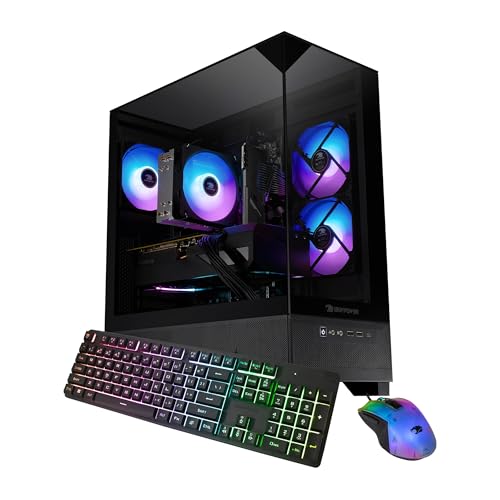
As an Amazon Associate we earn from qualifying purchases at no extra cost to you. Ratings are shown as listed on Amazon.
Gaming performance by generation
Generation alone does not determine gaming performance. The graphics card, game, resolution, memory configuration, and power limits all matter. The table gives useful relative expectations rather than guaranteed benchmark scores. It assumes a reasonably fast dedicated GPU, current drivers, dual-channel memory, and settings that do not make the graphics card the clear bottleneck.
| Processor | Generation and core layout | Power specification | Typical gaming takeaway | Cooling and socket |
|---|---|---|---|---|
| Core i5-12400F | 12th gen; 6P / 0E; 6 cores, 12 threads | 65 W base, 117 W maximum turbo | Good entry-level choice; often close enough to newer midrange CPUs at 1440p, where the GPU usually matters more. | Modest tower air cooler recommended; LGA1700 |
| Core i5-13400F | 13th gen; 6P / 4E; 10 cores, 16 threads | 65 W base, 148 W maximum turbo | A practical step up for mixed gaming and background work; gains over the 12400F vary by game. | Basic-to-midrange tower cooler; LGA1700 |
| Core i5-14400F | 14th gen; 6P / 4E; 10 cores, 16 threads | 65 W base, 148 W maximum turbo | Usually a small refresh over the 13400F, not a dramatic FPS jump. Buy it when the price is close. | Basic-to-midrange tower cooler; LGA1700 |
| Core i5-13600K | 13th gen; 6P / 8E; 14 cores, 20 threads | 125 W base, 181 W maximum turbo | Strong high-refresh gaming option; useful when the GPU and game can take advantage of its higher clocks. | Good dual-tower air cooler or capable liquid cooler; LGA1700 |
| Core i5-14600KF | 14th gen; 6P / 8E; 14 cores, 20 threads | 125 W base, 181 W maximum turbo | Fastest pick here overall, though the gaming difference from a 13600K is often modest. | Good dual-tower air cooler or capable liquid cooler; LGA1700 |
P means performance cores; E means efficiency cores. Base power is not a promise that the CPU will stay at that wattage during demanding work. Turbo behavior depends on the motherboard’s power settings and cooling. In GPU-limited 1440p or 4K gaming, moving from a 13400F to a 14600KF may produce little visible improvement; at 1080p with a fast graphics card, high-refresh gaming, or CPU-heavy simulation games, the faster chip is more likely to matter.
Choose by total build cost, not just FPS
| Your situation | Better fit | Why | Watch out for |
|---|---|---|---|
| Tight budget, 1440p gaming | 12400F or 13400F | More of the budget can go toward the graphics card, which commonly has the larger effect at this resolution. | Check that the motherboard supports the CPU and that the chosen model includes the features you need. |
| New midrange build, no parts to reuse | 14400F or 14400 | Good everyday performance without K-series cooling demands. | Compare the CPU and board bundle price against an AMD or newer-platform alternative before committing to LGA1700. |
| 1080p high-refresh gaming or streaming | 13600K or 14600K/KF | More performance headroom for CPU-heavy titles and concurrent tasks. | Budget for a stronger cooler and a motherboard with suitable power delivery. |
| Existing LGA1700 PC | 13600K or 14600K/KF, if supported | Reusing the board and memory can make an upgrade better value than replacing the platform. | Confirm BIOS support, cooling capacity, and board power limits first. |
| No graphics card yet | 12400, 13400, 14400, 13600K, or 14600K | These non-F models include integrated graphics for basic display output and troubleshooting. | Integrated graphics are not a substitute for a gaming graphics card. |
Cooler, motherboard, and memory checks
Cooling: match the cooler to sustained power
For a 12400F, 13400F, or 14400F, a quality tower air cooler is a sensible upgrade over relying on a compact stock cooler, particularly in a warm room or a case with limited airflow. The 13600K and 14600K/KF can draw substantially more power under sustained loads: plan on a substantial dual-tower air cooler or a capable liquid cooler, and use a case with unobstructed front intake and rear exhaust. A large cooler is not automatically quieter if the case airflow is poor.
After assembly, check CPU temperatures and clock behavior during a game or a sustained workload. If temperatures climb quickly and clocks fall, verify the cooler’s mounting pressure, thermal paste contact, fan direction, and case airflow before buying a more powerful cooler. Also check cooler height against the case and RAM clearance before ordering.
Motherboard: LGA1700 does not guarantee out-of-box support
These listed chips use the LGA1700 socket, but compatible sockets do not guarantee that every board will start with every generation. A 600-series board may need a BIOS update for a 13th- or 14th-generation CPU; some 700-series boards may also need an update for a particular processor. Confirm the exact CPU support list and minimum BIOS version on the motherboard maker’s site. If the board lacks BIOS flashback, a required update may mean borrowing an older supported CPU.
For locked, non-K chips, an entry-level or midrange B-series board is usually a reasonable pairing. For K-series processors, select a board with adequate power delivery and cooling around the voltage-regulator area; a Z-series board is needed for CPU multiplier overclocking. You can run a K-series CPU on a suitable B-series board, but you give up multiplier overclocking, and the board’s power limits may affect sustained performance.
LGA1700 supports DDR4 or DDR5 depending on the specific motherboard. The board supports one memory type, not both, and DDR4 and DDR5 are not interchangeable. Choose a matched two-stick kit and confirm its type and speed against the motherboard. Existing DDR4 can reduce upgrade cost, but do not buy a DDR4 board expecting to move that memory to a DDR5 board later.
Final buying rule
For the best value, start with a 12400F, 13400F, or 14400F and spend any savings on a stronger graphics card if your games are GPU-limited. Choose a 13600K or 14600K/KF when you specifically want high-refresh 1080p performance, run CPU-heavy games, or need extra multitasking capacity—and include the cooler and suitable motherboard in the budget. Before checkout, verify socket, BIOS version, memory type, cooler fit, and whether you need integrated graphics.